
Welcome to part 10 of the VCF-9.1 home lab series. The previous post in this series discussed enabling a supervisor in the workload domain. In this post, I will demonstrate deploying and configuring VCF Automation.
If you are not following along, I encourage you to read the earlier parts of this series from the links below:
3: VCF 9.1 Pre-Deployment Planning
4: Setting up VCF 9.1 Offline Depot
5: VCF 9.1 Deploy Management Domain
6: Configure Management Domain Network Connectivity
8: Enable Avi on Workload Domain
9: Deploy Supervisor in Workload Domain
VMware Cloud Foundation (VCF) 9.1 represents a landmark release that fundamentally reshapes how organizations build, operate, and consume private cloud infrastructure. At its core, VCF Automation transforms the traditional infrastructure delivery model into a self-service, policy-governed cloud experience that rivals the simplicity of public cloud consumption while retaining the sovereignty and security of on-premises deployments.
What is VCF Automation?
VCF Automation is the self-service, IaaS orchestration layer of VMware Cloud Foundation. It enables IT teams and cloud service providers to deliver a unified private cloud that supports VM-based applications, Kubernetes-native workloads, and AI/ML infrastructure—all governed by centralized policy.
In VCF 9.x, VCF Automation is deployed as a fleet-level component, and a single VCF Automation instance can manage multiple VCF instances deployed across sites. When deployed through VCF Operations, it runs as a containerized service within the VCF Services Runtime rather than running as a standalone appliance cluster.
Before diving into the deployment procedure, let’s take a look at the VCFA architecture and how it integrates with other infrastructure components to deliver a self-service private cloud experience.
VCF Automation Architecture
VCF Automation provides 2 separate planes for management and consumption:
1: Provider Management Plane: The provider layer is where VCF administrators configure the underlying infrastructure made available to tenants. Key responsibilities include:
- Defining Regions (mappings between VCF Automation and vSphere Supervisors).
- Creating external networks for outbound connectivity.
- Configuring placement policies and region quotas at the infrastructure level.
- Configuring networking quota for the organizations.
- Organization onboarding and lifecycle management.
- Managing content libraries and VM image repositories.
2: Organization Management Plane: Each tenant or line-of-business (LOB) is represented as an organization within VCF Automation. The organization layer provides:
- Isolated identity and access management (IAM) scoped to the organization.
- Project management — grouping namespaces, users, roles, blueprints, and policies.
- Catalogues of approved VM images, blueprints, and IaaS service classes.
- Self-service governance, including Day-2 actions, lease management, and approval flows.
Note: This post will demonstrate the deployment of VCFA. The provider management configuration and tenant consumption will be demonstrated in a separate post.
VCF Automation and vSphere Supervisor Integration
The Supervisor is the IaaS control plane bridge between VCF Automation and vSphere. VCF Automation interacts with the supervisor through Kubernetes APIs to:
- Provision VMs via VM Service (using VMI classes and VM images from content libraries).
- Create and lifecycle-manage VKS (vSphere Kubernetes Service) clusters.
- Launch container service workloads running directly on ESXi (serverless-like experience).
- Manage vSphere Namespaces that enforce compute, memory, storage, and network quotas.
VCF Automation Networking Integration
When a new organization is created in VCF Automation, the following NSX constructs are automatically provisioned—with zero manual NSX interaction required:
- NSX Project: Secure logical container for all the organization’s network resources.
- NSX Transit Gateway (TGW): Dedicated router connecting the org’s VPCs to the provider gateway.
- Default VPC: A ready-to-use virtual private cloud network for tenant workloads.
- Source NAT (SNAT): Automatic outbound connectivity for VMs with private IPs.
- Isolation enforcement: NSX Project boundaries prevent cross-tenant network access.
Deployment Models
VCF Automation can be deployed as a single node (simple model) or a three-node cluster (high-availability model). A single-node cluster can be converted to a 3-node cluster by resizing the node size to medium or large. For the benefits and implications of the two models, see the product documentation
Tenancy Deployment Models
VCF Automation supports five official tenancy deployment models, accommodating everything from consolidated single-instance deployments to fully isolated per-tenant VCF fleets:
| Model | Description | Use case |
| Model 1: Consolidated | Management and workload VMs are co-located in a single VCF instance. VCF Automation manages all tenants from the same infrastructure pool. | Small enterprises, single-site deployments |
| Model 2: Management + Workload Separation | Dedicated management domain with separate VI workload domains. Tenants share the workload domains but have isolated namespaces. | Medium enterprises with multiple LOBs |
| Model 3: Dedicated Workload Domains per Org | Each organization gets its own VI workload domain with dedicated compute. VCF Automation is shared at the fleet level. | Compliance-sensitive LOBs, larger enterprises |
| Model 4: Centralized Automation, Dedicated Instances | A single VCF Automation manages multiple isolated VCF instances, one per major tenant or business unit. | Service providers, large enterprises with regulatory isolation needs |
| Model 5: Dedicated Fleet per Tenant | Each tenant or customer gets their own independent VCF fleet, VCF Automation, and VCF Operations. | Cloud service providers, sovereign deployments |
Installation Requirements
- 5 IP addresses (static) for VCFA service runtime deployment. VCF OPS requires a /29 CIDR for this when deploying VCFA.
- FQDN for VCF Automation and VCF Automation service runtime. The FQDN should fall out of the /29 CIDR.
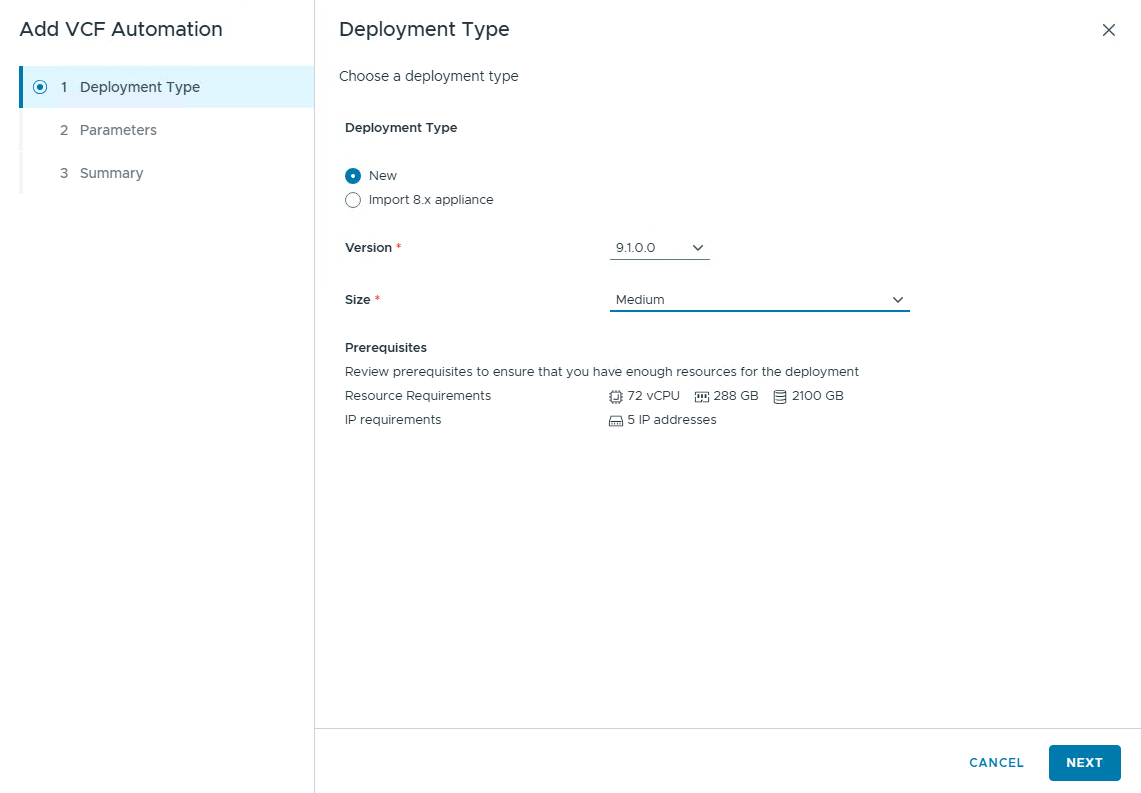
- Enough compute capacity available in the management domain. A medium-sized, highly available VCF Automation requires 72 vCPUs and 288 GB RAM, whereas a simple, small-sized deployment requires 24 vCPUs and 96 GB RAM.
- The VCF Automation installation binary is downloaded and available in the software depot.
It’s time to dive into the lab and see the installation process. I am deploying Model 2 in my lab.
Important: If you are deploying VCFA on Day-2, VCF Operations places the service runtime cluster on the management network by default. If you want to customize network placement, use the VCF installer appliance and select the Deploy Deferred Components option.
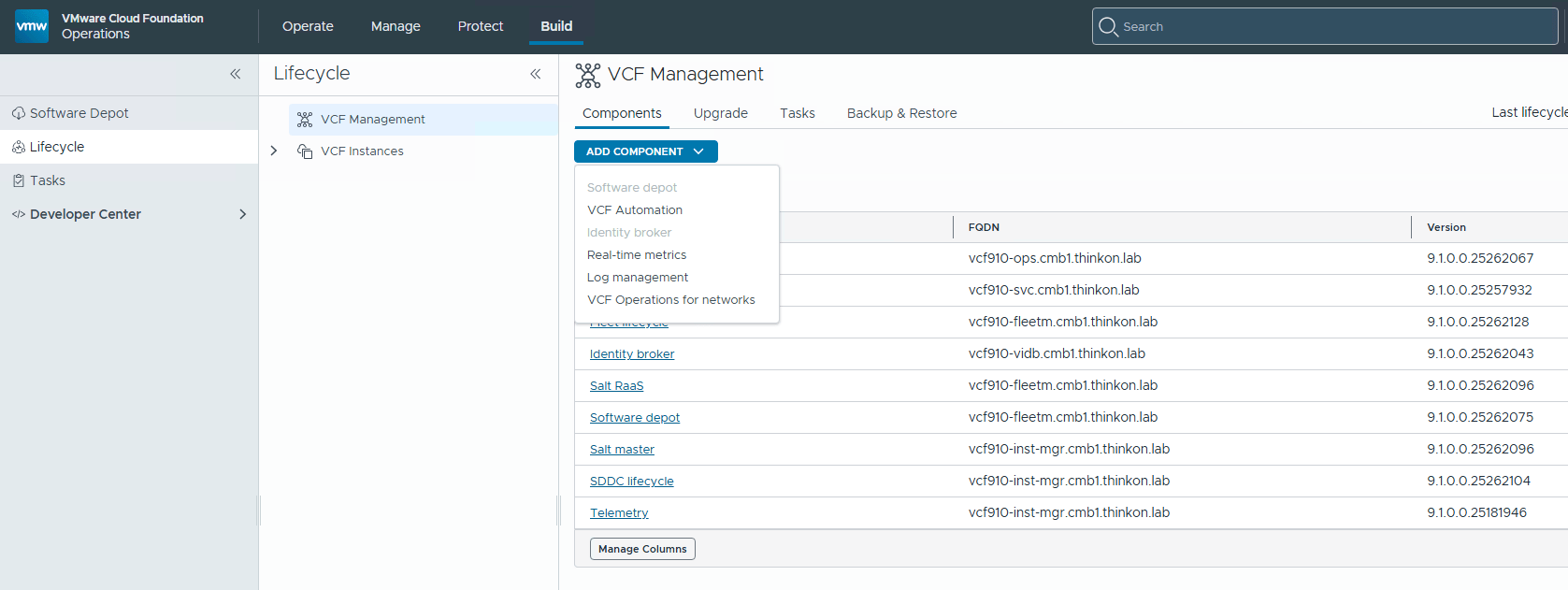
Login to VCF OPS and navigate to Build > Lifecycle > VCF Management > Components and select VCF Automation from the list.
Select deployment type as new. If you have Aria Automation running in your environment, you can import the objects to VCFA. For this, Aria Automation must have been deployed in the management domain.
Select the version and VCF Service Runtime cluster size.
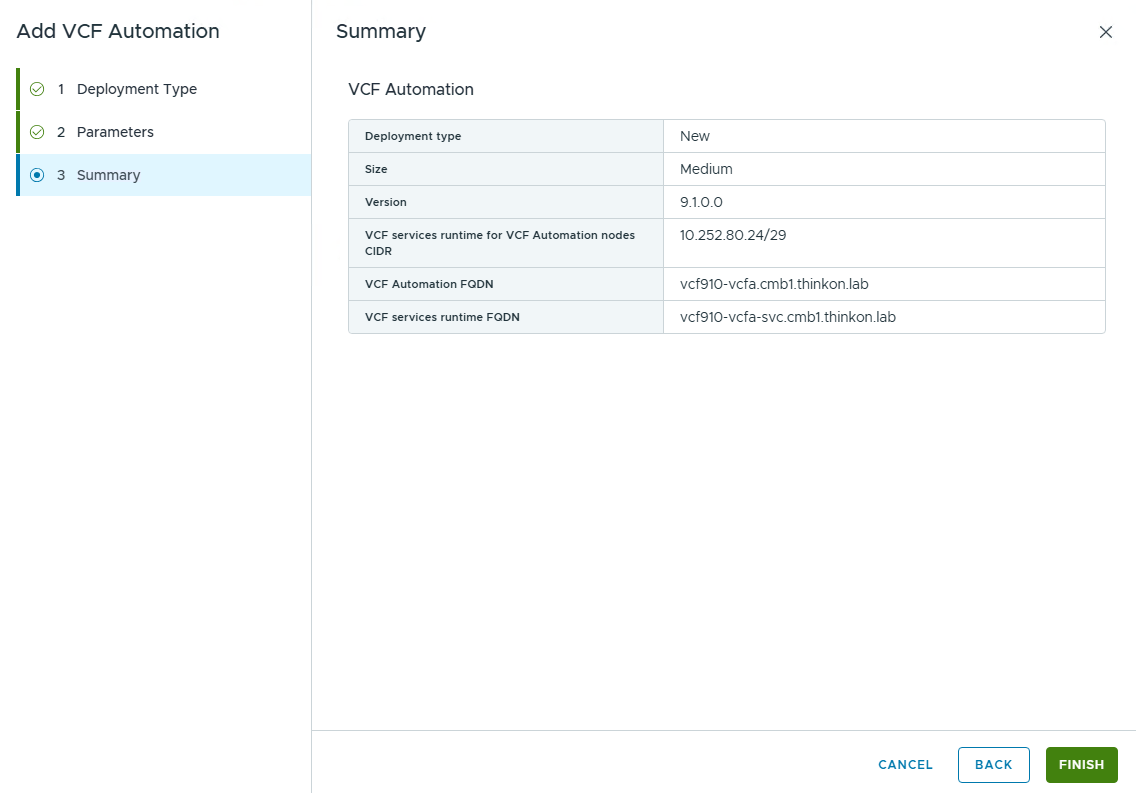
Specify the VCF Services Runtime cluster CIDR, service runtime FQDN, VCFA FQDN, and password.

Click Finish to initiate the deployment.
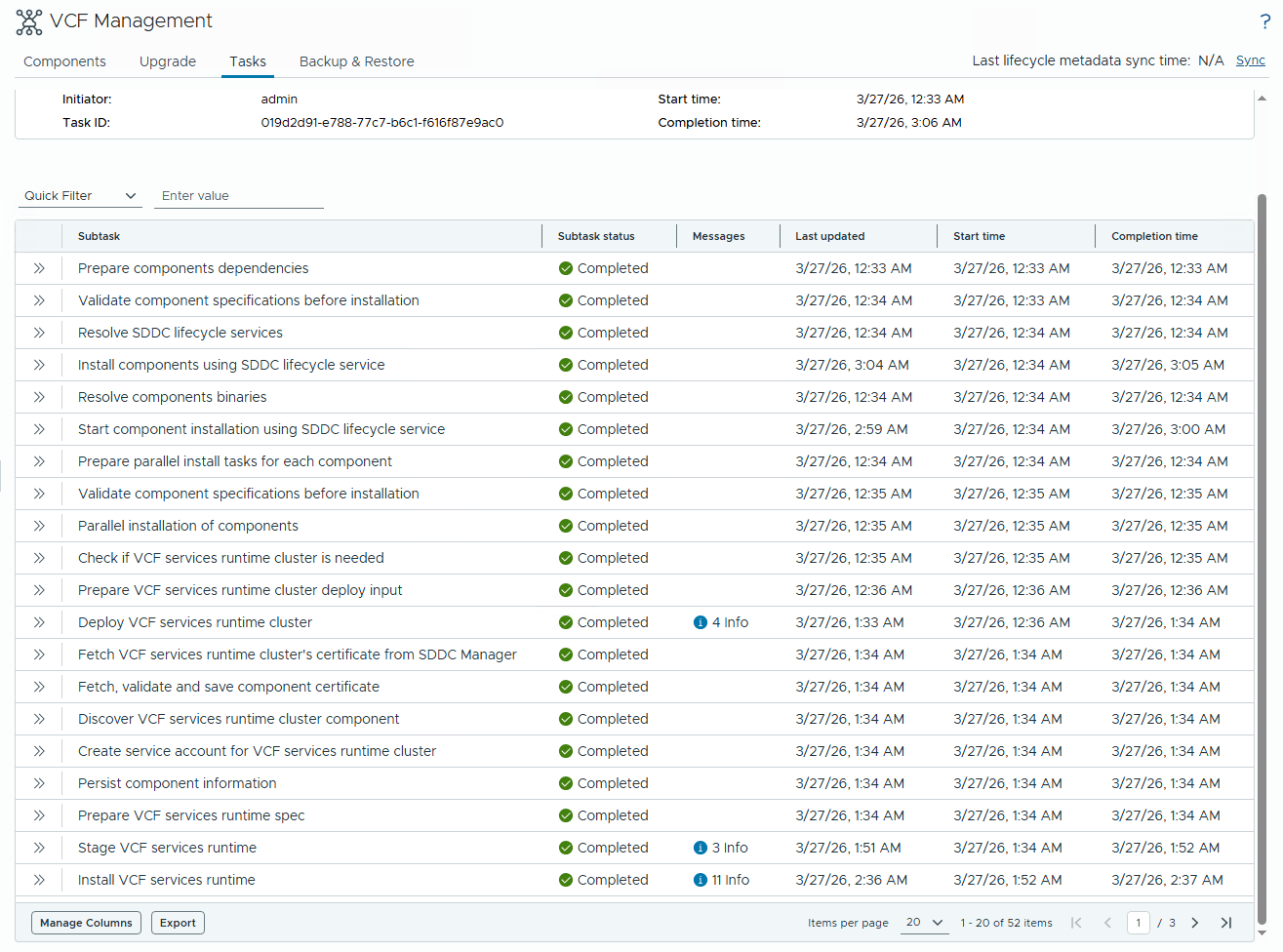
Click View Details to see the backend tasks for the deployment.

The screenshot below lists the tasks performed in the backend during the deployment. It takes close to 3 hours for VCFA deployment to complete (even on physical servers)
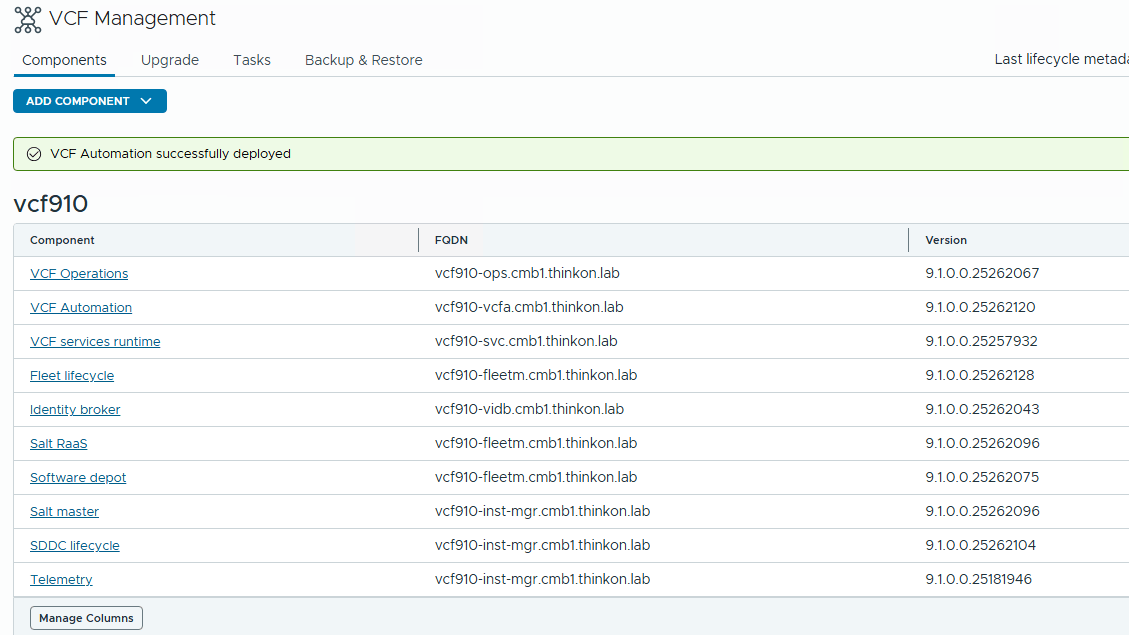
After successful deployment, VCF OPS displays the deployment status on the screen.
Verify Infrastructure Integration
Connect to the VCF Automation by entering https://<vcfa-fqdn>/provider and login as the admin user and password set during deployment.
Navigate to Home > Administration > VCf Instances to verify that the SDDC Manager appears in the list.

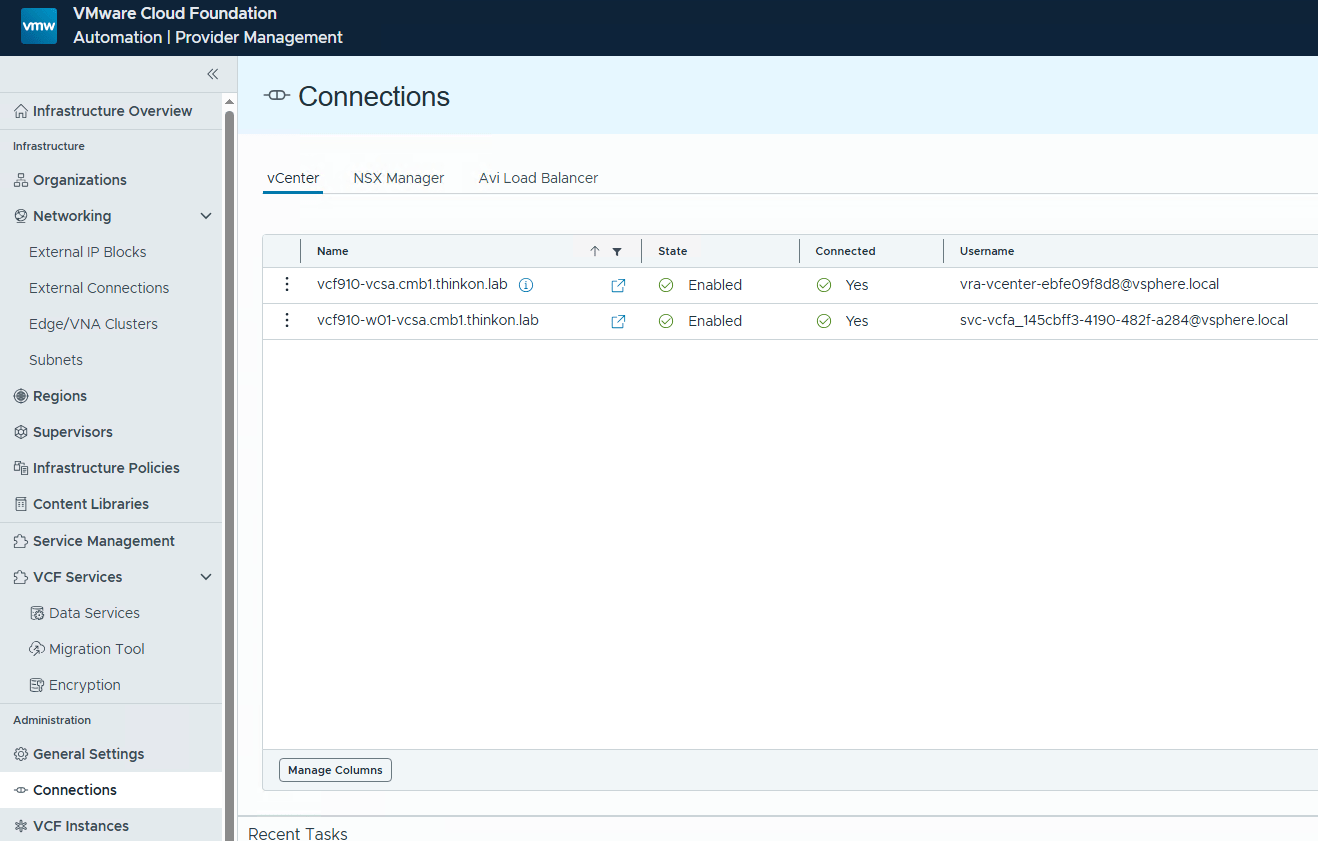
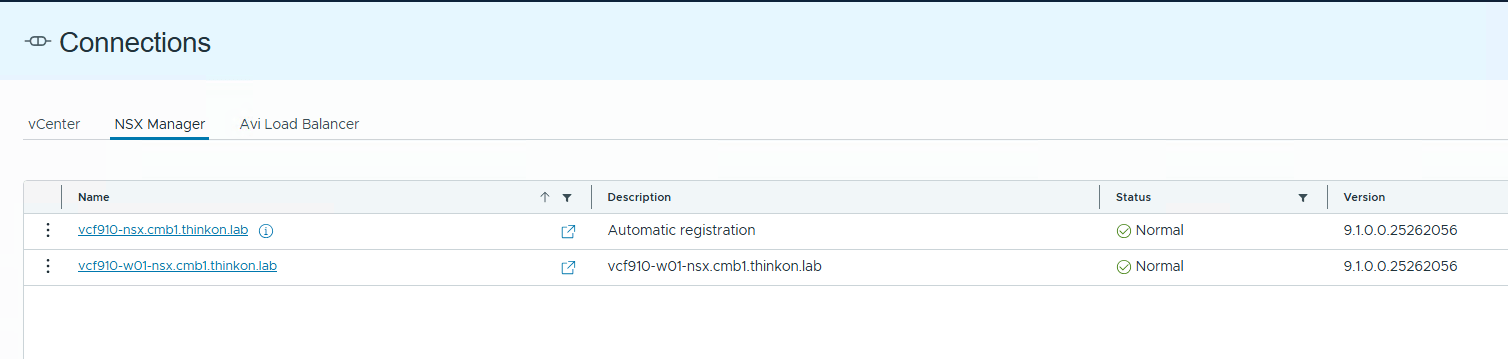
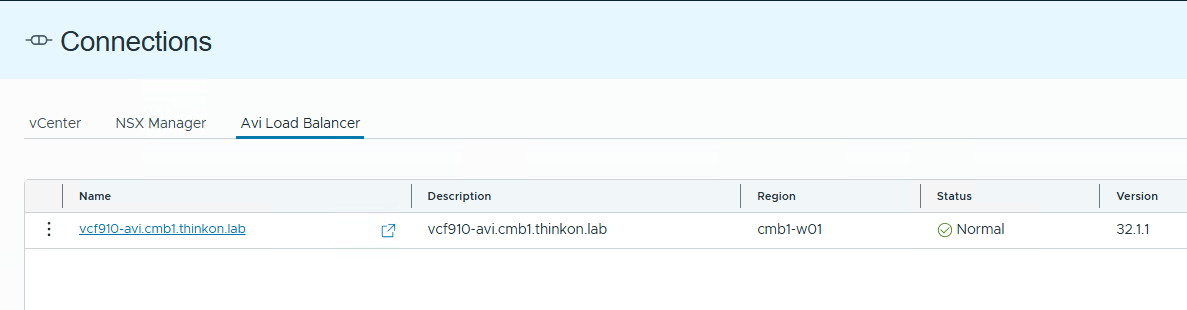
Navigate to the Connections tab to verify the health and status of the vCenter server, NSX Manager, and Avi load balancer.
Additional features in VCFA can be unlocked by navigating to the Features Flag page and enabling the required services.

And that’s it for this post.
In the upcoming posts, I will discuss topics like provider management configuration, VCFA consumption from the tenant’s POV, and VCFA integration with VPC networking. Stay tuned!!!