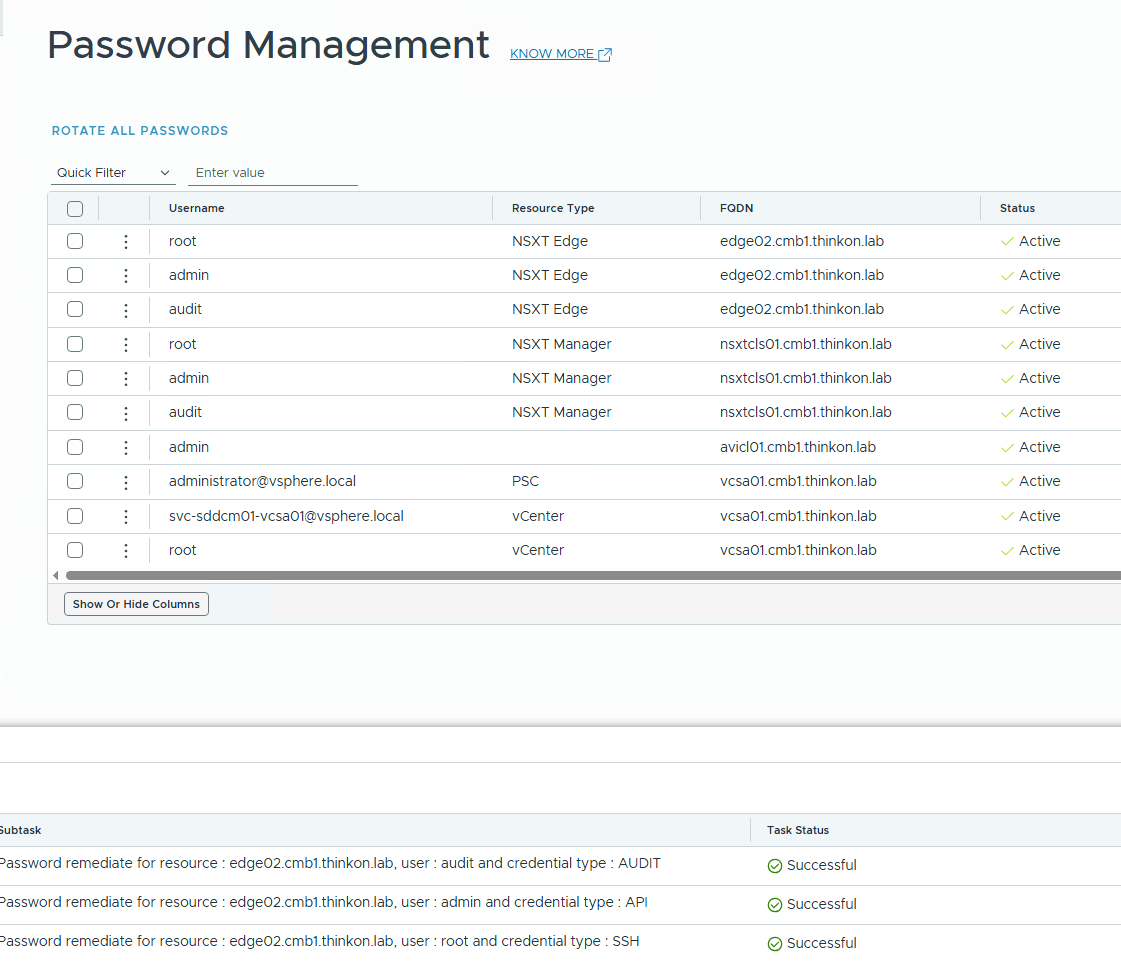
Recently, while working in my lab, I encountered an issue in which an edge node’s password had fallen out of sync with SDDC Manager, causing all attempts to update or remediate it to fail. The most common causes of a failed password rotation are the following:
- SSH connectivity to the edge appliance is blocked.
- The account is locked.
- The password has already expired (so SDDC Manager can’t authenticate to change it).
- The edge node’s hostname/FQDN case doesn’t match what’s stored in the SDDC Manager database.
Upon logging into the edge node, I confirmed that the password had not expired and that the edge node’s FQDN matched the value stored in the database, indicating that the underlying issue was simply a password out of sync with SDDC Manager. Every attempt to update or remediate the password continued to fail at the pre-validation stage.
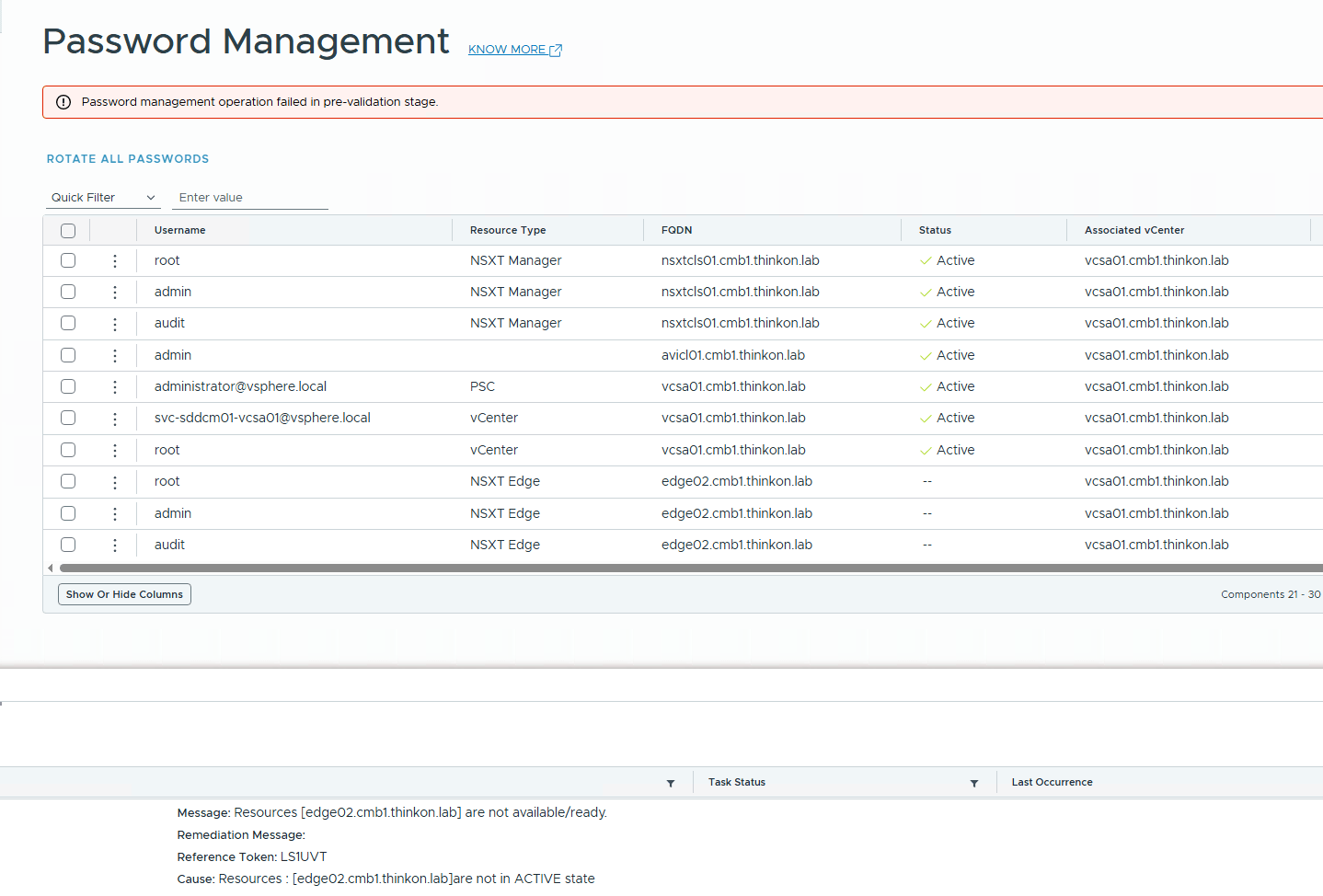
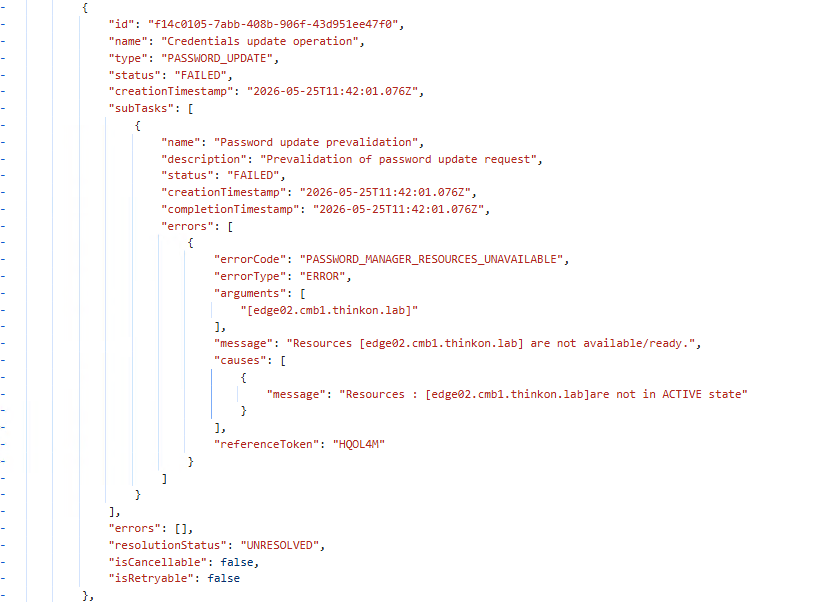
I checked the API that the SDDC Manager was executing in the backend for the password update operation, and the API response reported that the edge node was not in the active state.
The real clue about the issue was found by checking the lcm-debug.log file on the SDDC manager. Although the actual error shown in the log file was misleading. There were multiple occurrences of the message “The credentials were incorrect or the account specified has been locked“. But I knew this was not the issue.
On reading the log file carefully, I saw another message, “Fetching the history item for UUID 61030acd-fc06-444b-a9d7-ad642df1f7ea” and then I understood what was happening. The SDDC Manager maintains the history of passwords, and you can’t use the last 5 passwords when remediating a password.
The log snippet is provided here for reference
|
1 2 3 4 5 6 7 8 9 10 11 12 13 14 15 16 17 18 19 20 21 22 |
------------snipped output-------- 2026-05-26T12:46:12.043+0000 DEBUG [vcf_om,6a15961415a63d0b2bc606765d284f04,3f9c] [c.v.v.p.u.c.AbstractPasswordChanger,om-exec-9] Setting old and service credentials for account with entityId: 96f72122-5382-4115-8831-fdabfa46bfd1, entityName: nsxtcls01.cmb1.thinkon.lab, credentialType: AUDIT, username: audit 2026-05-26T12:46:12.043+0000 DEBUG [vcf_om,6a15961415a63d0b2bc606765d284f04,3f9c] [c.v.v.p.helper.CredentialHelper,om-exec-9] Fetching credentials for entityId==96f72122-5382-4115-8831-fdabfa46bfd1;credentialType==AUDIT;username==audit;entityType==NSXT_MANAGER 2026-05-26T12:46:12.058+0000 INFO [vcf_om,6a15961415a63d0b2bc606765d284f04,3f9c] [c.v.v.p.u.c.AbstractPasswordChanger,om-exec-9] Population of old and service credentials completed successfully for entity with entityId: 96f72122-5382-4115-8831-fdabfa46bfd1, entityName: nsxtcls01.cmb1.thinkon.lab, credentialType: AUDIT, username: audit 2026-05-26T12:46:12.096+0000 DEBUG [vcf_om,6a15961415a63d0b2bc606765d284f04,3f9c] [c.v.v.p.helper.ResourceStateHelper,om-exec-9] Getting status for type NSXT_MANAGER, id 96f72122-5382-4115-8831-fdabfa46bfd1 2026-05-26T12:46:12.097+0000 DEBUG [vcf_om,6a159614332bb76bb03f6858aea661c0,2455] [c.v.v.p.s.PasswordUpdateHistoryService,http-nio-127.0.0.1-7300-exec-10] Fetching the history item for UUID 61030acd-fc06-444b-a9d7-ad642df1f7ea 2026-05-26T12:46:12.254+0000 DEBUG [vcf_om,6a15961415a63d0b2bc606765d284f04,3f9c] [c.v.v.p.helper.NsxtApiUtil,om-exec-9] Failed to get NSXT user details : {"module_name":"common-services","error_message":"The credentials were incorrect or the account specified has been locked.","error_code":403} with status : Forbidden 2026-05-26T12:46:12.255+0000 ERROR [vcf_om,6a15961415a63d0b2bc606765d284f04,3f9c] [c.v.v.p.u.c.AbstractPasswordChanger,om-exec-9] The credentials were incorrect or the account specified has been locked. com.vmware.vcf.passwordmanager.exception.PasswordUpdateException: The credentials were incorrect or the account specified has been locked. at com.vmware.vcf.passwordmanager.update.changers.NsxtManagerApiChanger.doTest(NsxtManagerApiChanger.java:128) Caused by: com.vmware.vcf.passwordmanager.exception.PasswordUpdateException: The credentials were incorrect or the account specified has been locked. at com.vmware.vcf.passwordmanager.helper.NsxtApiUtil.getUserDetails(NsxtApiUtil.java:162) at com.vmware.vcf.passwordmanager.update.changers.NsxtManagerApiChanger.doTest(NsxtManagerApiChanger.java:114) ... 9 common frames omitted Caused by: org.springframework.web.client.HttpClientErrorException$Forbidden: 403 Forbidden: "{"module_name":"common-services","error_message":"The credentials were incorrect or the account specified has been locked.","error_code":403}" |
In a production environment, the ideal solution is to manually set a new password on edge nodes and remediate the edge nodes using the new password. For a lab environment, you can execute the following one-liner to clear the password history
|
1 |
root@sddcm01 [ ~ ]# echo "" > /etc/security/opasswd |
After applying the above workaround, the edge password remediation worked, and the edge node status also reported Active.