Container Service Extension 4.0 on VCD 10.x – Part 2: NSX Advanced Load Balancer Configuration

In part 1 of this blog series, I discussed Container Service Extension 4.0 platform architecture and a high-level overview of a production-grade deployment. This blog post is focused on configuring NSX Advanced Load Balancer and integrating it with VCD. 

I will not go through each and every step of the deployment & configuration as I have already written an article on the same topic in the past. I will discuss the configuration steps that I took to deploy the topology that is shown below.

Let me quickly go over the NSX-T networking setup before getting into the NSX ALB configuration.

I have deployed a new edge cluster on a dedicated vSphere cluster for traffic separation. This edge cluster resides in my compute/workload domain. The NSX-T manager managing the edges is deployed in my management domain. 

On the left side of the architecture, you can see I have one Tier-0 gateway and VRFs carved out for NSX ALB and CSE networking.Read the rest

Replacing NSX ALB Certificates with Signed Certificates

In this post, I will walk through the steps of replacing NSX ALB self-signed certificates with a CA-signed certificate. For the purpose of this demonstration, I am using Active Directory Certificate Service in my lab. I have a windows server 2019 deployed and additional roles configured for AD integrated Certificate Service. 

Please follow the below procedure for replacing NSX ALB certificates.

Step 1: Generate Certificate Signing Request (CSR)

CSR includes information such as domain name, organization name, locality, and country. The request also contains the public key/private key, which will be associated with the certificate generated. A CSR can be generated directly from the NSX ALB portal, but that requires configuring a Certificate Management Profile or using the OpenSSL utility.

To generate a CSR via the NSX ALB portal, go to Templates > Security > SSL/TLS Certificates and click on the Create button, then select controller certificate from the drop-down menu.Read the rest

NSX ALB Integration with VCD-Part 2: NSX ALB & Infra Configuration

In the first post of this series, I discussed the design patterns that are supported for NSX ALB integration with VCD.

In this post, I will share the steps of the NSX ALB & Infra configuration before implementing the supported designs. 

Step 1: Configure NSX-T Constructs

1a: Deploy a couple of new Edge nodes to place the Tier-0 gateway that you will be creating for the NSX ALB consumption. 

Associate the newly deployed edge nodes with the existing Edge Cluster.

1b: Create a Tier-0 and configure BGP. Also, ensure that Tier-1 connected segments are allowed to be redistributed via BGP.

1c: Create a Tier-1 gateway and associate it with the Tier-0 gateway that you created in the previous step.

Ensure that the tier-1 gateway is configured to redistribute connected routes to the tier-0 gateway. 

1d: Create a DHCP-enabled logical segment for the Service Engine management and connect the segment to the tier-1 gateway that you created in the previous step.Read the rest

NSX ALB Integration with VCD-Part 1: Design Patterns

Overview

NSX Advanced Load Balancer provides multi-cloud load balancing, web application firewall, application analytics, and container ingress services from the data center to the cloud. It is an intent-based software load balancer that provides scalable application delivery across any infrastructure. NSX ALB provides 100% software load balancing to ensure a fast, scalable, and secure application experience. It delivers elasticity and intelligence across any environment.

With the release of VCD 10.2, NSX Advanced Load Balancer integration is available for use by the tenants. The service provider configures NSX ALB and exposes load-balancing functionality to the tenants so that tenants can deploy load balancers in a self-service fashion. 

The latest release of VCD (10.3.1) supports NSX ALB versions up to 21.1.2. Please check the VMware product interop matrix before planning your deployment.

In this blog post, I will be talking about the NSX ALB design patterns for VCD and the ALB integration steps with VCD.Read the rest

NSX ALB Upgrade Breaking AKO Integration

Recently I upgraded NSX ALB from 20.1.4 to 20.1.5 in my lab and observed weird things whenever I attempted to deploy/delete any Kubernetes workload of type LoadBalancer.

The Issue

On deploying a new K8 application, AKO was unable to create a load balancer for the application. In NSX ALB UI, I can see that a pool has been created and a VIP assigned but no VS is present. I have also verified that the ‘ako-essential’ role has the necessary permission “PERMISSION_VIRTUALSERIVCE”  to create any new VS.

On attempting to delete a K8 application, the application got deleted from the TKG side, but it left lingering items (VS, Pools, etc) in the ALB UI. To investigate more on the issue, I manually tried deleting the server pool and captured the output using the browser network inspect option. 

As expected the delete operation failed with the error that the object that you are trying to delete is associated with ‘L4PolicySet’

But the l4policyset was empty

Read the rest

Quick Tip – Restricting SSH Access to NSX ALB Service Engines

By default, the user can connect directly to a service engine via SSH using the system’s admin credentials. If there is a security requirement to restrict SSH connections, it is possible to disable this access using the following CLI configuration:

1: Connect to the NSX ALB controller and gain shell access

admin@172-19-10-51:~$ shell
Login: admin
Password:

[admin:172-19-10-51]: >

2: Run the following commands to disable admin SSH access to the service engine.

[admin:172-19-10-51]: > configure serviceengineproperties

[admin:172-19-10-51]: seproperties> se_runtime_properties

[admin:172-19-10-51]: seproperties:se_runtime_properties> no admin_ssh_enabled

[admin:172-19-10-51]: seproperties:se_runtime_properties> save

[admin:172-19-10-51]: seproperties> save

With direct SSH access to Service Engines disabled, it is still possible for a user with the “Super User” privilege to remotely access a Service Engine’s shell through a secure tunnel from the Controller using the attach serviceengine command from the Avi controller CLI.

This will automatically log in to the Service Engine using an internal user account (avidebuguser) via PKI authentication—the Super User does not need to know the default admin account credentials.Read the rest

Global Load Balancing using NSX ALB in VMC

Overview

Global Server Load Balancing (GSLB) is the method of load balancing applications/workloads that are distributed globally (typically, multiple data centers and public clouds). GSLB enables the efficient distribution of traffic across geographically dispersed application servers. 

In a production environment, the corporate name server delegates one or more subdomains to Avi Load Balancer GSLB, which then owns these domains and responds to DNS queries from clients. DNS-based load balancing is implemented by creating a DNS Virtual Service. 

How GSLB Works?

Let’s understand the working of GSLB using the example. 

2 SDDCs are running in VMC, and both SDDC has local load balancing configured to load balance set of web servers in their respective SDDC. The 2 Virtual Services (SDDC01-Web-VS & SDDC02-Web-VS) have a couple of web servers as pool members and the VIP of the Virtual Service is translating to Public IP via NAT.  

Let’s assume the 4 web servers running across 2 SDDC are servicing the same web application and you are looking for doing a global load balancing along with local load balancing. Read the rest

Load Balancing With Avi Load Balancer in VMC on AWS-Part 2

In the first post of this series, I discussed how Avi Controller & Service Engines are deployed in an SDDC running in VMC on AWS. 

In this post, I will walk through the steps of configuring a load balancer for web servers.

Lab Setup

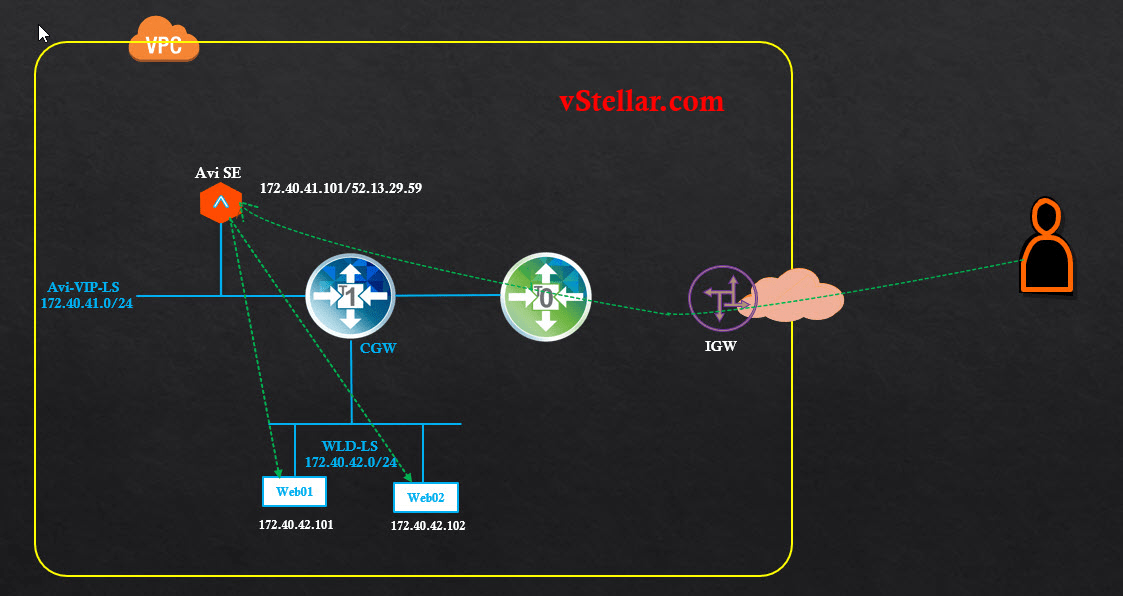
The diagram is a pictorial representation of my lab setup.

Let’s jump into the lab and start configuring the load balancer. 

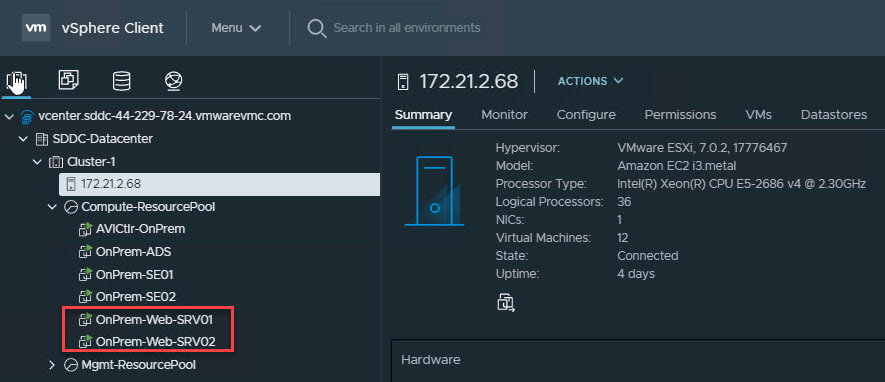
I have deployed a couple of web servers running on CentOS 7.

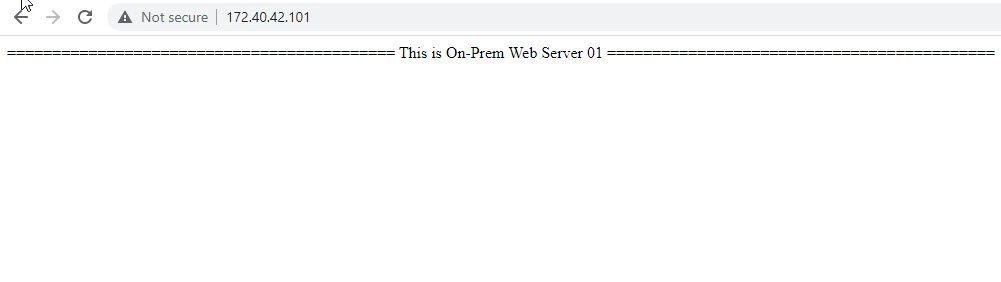
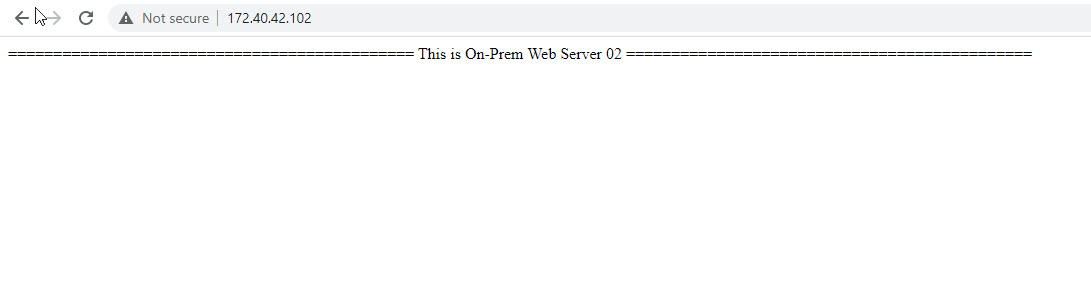
These are plain HTTP servers with a sample web page. 

Load Balancer Configuration

Create Session Persistence Profile

A persistence profile controls the settings that dictate how long a client will stay connected to one of the servers from a pool of load-balanced servers. Enabling a persistence profile ensures the client will reconnect to the same server every time, or at least for a desired duration of time. 

Cookie-based persistence is the most commonly used mechanism when dealing with web applications.Read the rest

Load Balancing With Avi Load Balancer in VMC on AWS-Part 1

Load balancers are an integral part of any data center, and most of the enterprise applications are clustered for high availability and load distribution. The choice of the load balancer becomes very critical when applications are distributed across data centers/clouds. 

This blog series is focused on demonstrating how we can leverage Avi Load Balancer for local/global load-balancing applications in VMC on AWS. 

If you are new to Avi Load Balancer, then I encourage you to learn about this product first. Here is the link to the official documentation for the Avi Load Balancer

Also, I have written a few articles around this topic, and you can read them from the links below:

1: Avi Load Balancer Architecture

2: Avi Controller Deployment & Configuration

3: Load Balancing Sample Application

The first two parts of this blog series are focused on the deployment & configuration of Avi LB in a single SDDC for local load balancing.Read the rest

vSphere with Tanzu Leveraging NSX ALB-Part-1: Avi Controller Deployment & Configuration

With the release of vSphere 7.0 U2, VMware introduced support of Avi Load Balancer (NSX Advanced Load Balancer) for vSphere with Tanzu, and thus, fully supported load balancing is now enabled for Kubernetes. Before vSphere 7.0 U2, HA Proxy was the only supported load balancer when vSphere with Tanzu needed to be deployed on vSphere Distributed Switch (vDS) based networking. 

HA Proxy was not supported for production-ready workloads due to its own limitations. NSX ALB is a next-generation load balancing solution, and its integration with vSphere with Tanzu enables customers to run production workloads in the Kubernetes cluster.

When vSphere with Tanzu is enabled using NSX ALB, the Controller VM has access to the Supervisor Cluster, Tanzu Kubernetes Grid clusters, and the applications/services deployed in the TKG Cluster. 

The diagram below shows the high-level topology of NSX ALB & vSphere with Tanzu.

In this post, I will cover the steps of deploying & configuring NSX ALB for vSphere with Tanzu.Read the rest