What’s New in VMware Cloud Director 10.1

With the release of v10.1 yesterday, vCloud Director has been rebranded to VMware Cloud Director. In this post I will cover what does Cloud Director brings to the table.

1: vCloud Director Rebranding: Upon logging into Cloud Director UI, you will no longer see the ‘v’ of vCloud Director. vCD  has been rebranded to VMware Cloud Director.

vmware cloud director

2: RIP Flex UI: Flex UI is no longer available in Cloud Director. In vCD 10.0, flex UI was disabled by default and if needed, it can be enabled back with cell-management-tool utility.

Note: Although the same command works in 10.1 also as shown below

But even after running this command, if you try to login to flash client, you will see a page not found error.Read the rest

VMware Cloud Director-What’s New-NSX-T UI Enhancements

With the release of VMware Cloud Director (Previously vCloud Director), a lot of NSX-T related UI enhancements are added. In this post I will walk through some of them.

Dedicated External Networks

With Cloud Director 10.1, an edge gateway can be provisioned with a dedicated external network. In this configuration, there is a one-to-one relationship between the external network and the edge gateway, and no other edge gateways can connect to this external network.

Note: Provider creates a T0 gateway within NSX-T and add it to Cloud Director as an external network. Once T0 is added, provider could convert an existing org gateway (T1) to this new dedicated T0, or create a new org gateway with Dedicated External Network option selected.

vCD-NSX-06

BGP and Route Advertisement

BGP peering  & Route Advertisement functionalities are added on Edge Gateway UI.

Route Advertisement

You can decide which of the network subnets that are attached to org gateway will be advertised to the dedicated external network.Read the rest

Create vCAV Replication Policies via API

Few days back I wrote a post on how to create Replication policies in vCloud Availability via GUI. In this post I will walk through steps of creating the same via API.

Below are high level steps of API workflow.

1: Get Auth Token

2: Create a New Replication Policy

Response Output: Make a note of the id of the policy from the response output.Read the rest

How To Unregister vCAV 3.5 Plugin from vCenter

Recently, while working in the lab, I came across a situation where I had to remove the vCloud Availability 3.5 plugin from vCenter. To remove plugins from vCenter, vCenter MOB is used, but removing the vCAV plugin follows a different path.

In this post, I will walk through the steps of doing the same.

Login to your vCenter Server Appliance over SSH and execute the following commands:

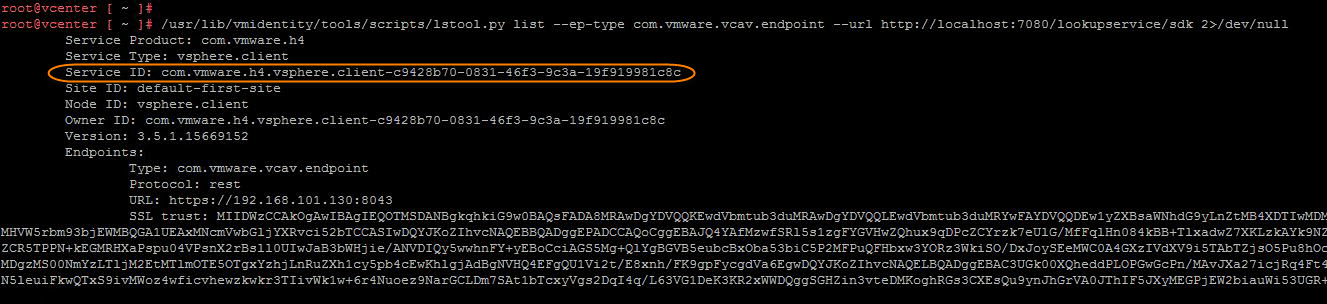
1: List vCAV plugin registrations in the vCenter Server Lookup service

Make a note of the Service ID from the output

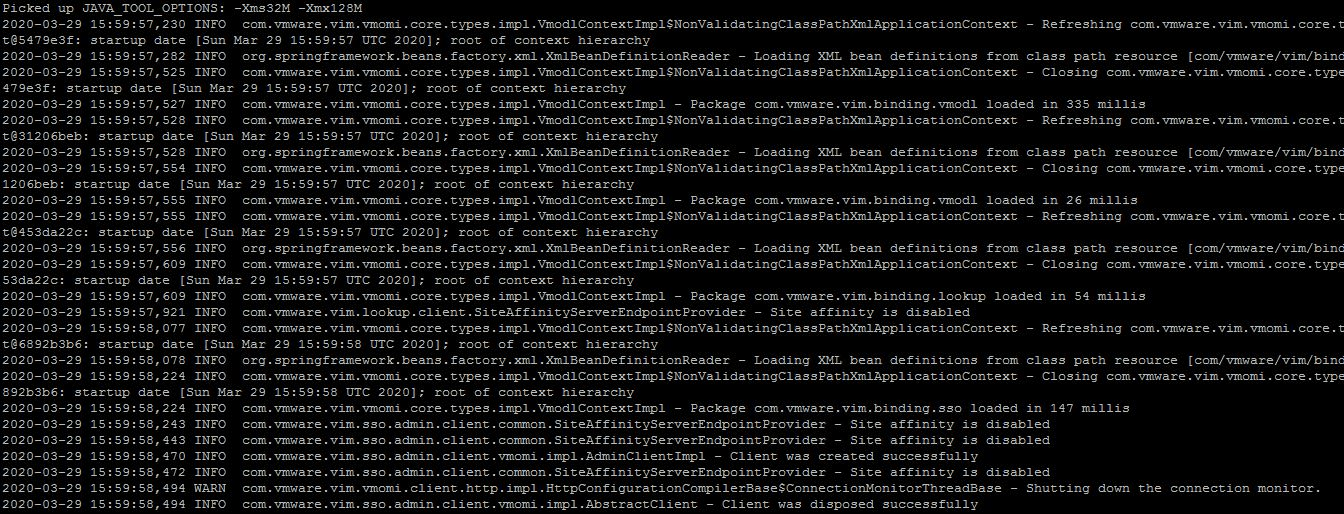
2: Unregister the vCAV plugin from the vCenter Lookup service by providing the SSO credentials and using the Service ID fetched from the previous command.

3: Re-run the command from step 1 to verify the vCAV plugin has been unregistered from the lookup service. Read the rest

Upgrading vCloud Availability From 3.0 to 3.5

In this post I will walk through steps of upgrading vCloud Availability deployment upgrade from version 3.0 to 3.5.

If you have missed earlier posts of this series, I would recommend reading them from below links:

1: vCAV 3.0-Provider Setup

2: vCAV 3.0-Replication Policies

3: vCAV 3.0-Tenant Setup

vCloud Availability upgrade can be performed via various methods (CLI & UI). These methods are very well documented Here 

Upgrading vCloud Availability in the Cloud

Before upgrading vCAV in service provider side, we need to ensure that environment is configured as per Pre-Upgrade requirement.

vCloud Availability Upgrade Sequence

For a multi site vCloud Availability deployment, upgrade the sites in the following order:

  • Upgrade all vCloud Availability appliances in the local cloud site.
  • Upgrade all vCloud Availability appliances in remote cloud sites.
  • Upgrade all vCloud Availability On-Premises Appliance nodes.

In a vCloud Availability cloud site, upgrade all the appliances in following sequence:

  • Upgrade the vCloud Availability Cloud Replication Management Appliance.
Read the rest

Configuring vCloud Availability 3.0-Part 3:Tenant Setup

In first Part of vCAV 3.0 series, we learnt about service provider side configuration and in last Post we discussed about Replication Policies in vCAV. In this post I will walk through steps of configuring on-prem environment with vCAV. 

To configure on-prem environment to work with vCAV, you need to first download the vCAV 3.0 Appliance for Tenants which is located Here

Deployment of appliance is very straight forward like any other vmware product. Below slideshow shows the deployment steps.

Once the appliance boots up, make a note of the login url.

vcav-onprem-10

Login to vCAV on-prem appliance by typing https://<vcav-fqdn>/ui/admin

You will be prompted to change root password on first login.

vcav-onprem-11

Click Run initial setup wizard. 

On first page of wizard, specify the site name. When you pair the on-prem appliance with Cloud Site, your environment will be identified using this site name.

vcav-onprem-12

Enter vCenter lookup service details and sso credentials and hit Next.Read the rest

vCloud Availability 3.0-Part 2: Replication Policies

In the last post, we learned how to perform a vCloud Availability 3.0 provider-side configuration. But before tenant-side configuration can be performed, replication policies must be created.

Replication policies are sets of rules that define and control the replication attributes on a vCD organization level. Typically, a replication policy enforces the following attributes:

  • Whether an organization can be used as a replication source.
  • Whether an organization can be used as a replication destination.
  • The minimum Recovery Point Objective (RPO) for an organization.
  • The maximum number of retained snapshots per single virtual machine replication for an organization.
  • The maximum number of virtual machine replications that can be created for an organization.

Note: A single replication policy can be assigned to multiple vCD organizations. 

Create a Replication Policy

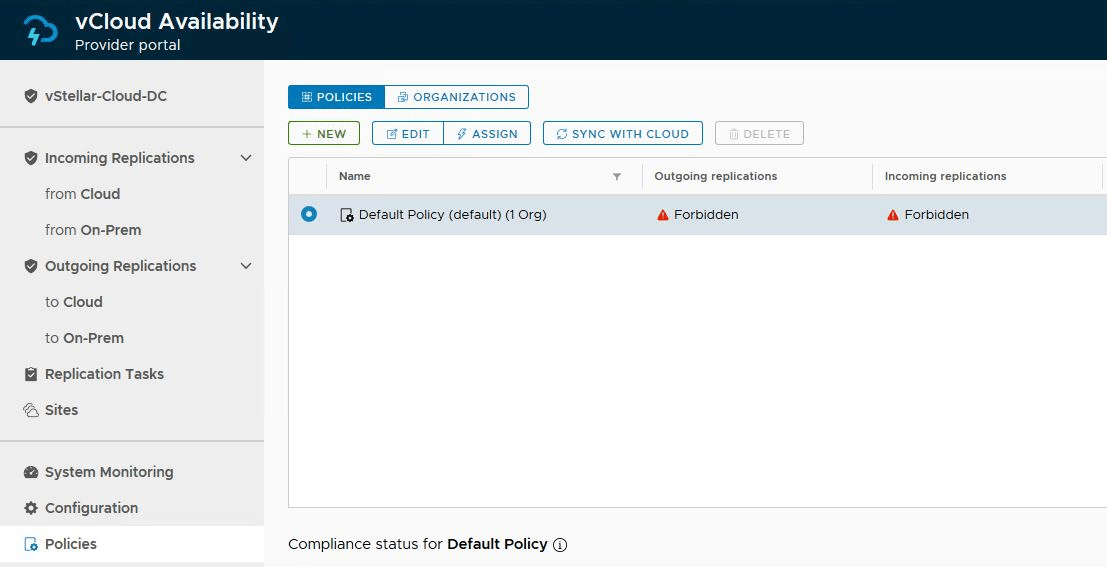
You can edit and use the default replication policy that comes with vCAV, or you can create custom ones. 

To create a new policy, login to vCloud Availability Portal (https://<vcav-fqdn>ui/admin) via root user and navigate to Home > Policies and click on New

Specify a name for the policy, select the attributes that will be part of this policy, and click the Create button.Read the rest

vCloud Availability 3.0-Part 1:Provider Setup

Recently, I got the chance to work on setting up the vCloud Availability v3.x in my lab, and it was a great learning curve. I will share my experience through a series of blog posts. 

I am not going to write an introduction post on what vCAV is and its architecture. It’s very well documented here

If you have worked on previous versions of vCAV (2.0 & 1.5), you might remember it was a pain setting up various appliances. With vCAV 3.0, installation & configuration have been simplified drastically. No more hanky-panky command-line stuff. You just need a couple of appliances for setting up the cloud and on-prem infrastructure.

In this post, I will cover the cloud (service provider) side deployment & configuration steps.

The screenshot below shows the steps of the vCAV appliance deployment. 

Note: For lab deployment/POC, we can use a combined appliance deployment topology.


Once the appliance is deployed and boots up, you will get a login URL to run the configuration workflow.Read the rest

Automating vCloud Usage Meter Deployment & Configuration via API

In my last Post I covered the manual steps of vCloud Usage Meter deployment & configuration. In this post, I will show how we can leverage Usage Meter APIs to perform end-to-end configuration.

Usage Meter Deployment: There is no API for UM deployment, and we have to stick to the ovftool method for this step.

Read the rest

Installing & Configuring vCloud Usage Meter

What is vCloud Usage Meter?

vCloud Usage Meter is an on-premises virtual appliance used to collect and generate reports for Cloud Provider Partners (VCPP) to send back to VMware for monthly billing of usage.

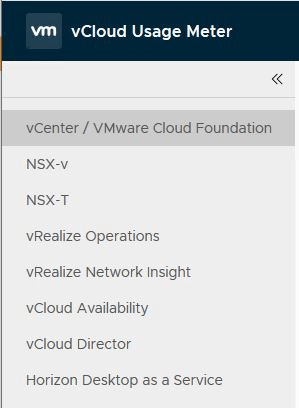
Usage Meter collects usage of the VMware products that are installed in the cloud provider’s datacenter. The current version of Usage Meter (4.1) supports usage collection from the following endpoints:

How Usage Meter collects and reports monthly product consumption data is explained Here

vCloud Usage Insight

vCloud Usage Insight is a VMware cloud service that aggregates and automates monthly and end-user reporting from on-premise vCloud Usage Meter instances to the VMware Cloud Provider Commerce Portal. With vCloud Usage Insight, you retain full control over the usage report data in the Commerce Portal before submission.

To learn more about vCloud Usage Meter & Usage Insight, check VMware’s official Documentation

Usage Meter Installation Requirements

I am not going to cover the nitty-gritty of installation prerequisites, as everything is well documented Here

vCloud Usage Meter is distributed as a virtual appliance (ova) and can be downloaded from Here

vCloud UM deployment is pretty straightforward, like any other OVA deployment.Read the rest