
In the first part of the NSX-T federation series, I discussed about architecture and components of the federation and also discussed some use cases. In this post, I will explain my lab topology before diving into the NSX-T Federation configuration.
I am trying to setup a federation between 2 sites in my lab and on both sites, I have already deployed the following:
- vSphere 7 (ESXi & vCenter).
- vSAN for shared storage.
- NSX-T 3.0 Manager.
- NSX-T 3.0 Edges.
I have 4 ESXi hosts on each site, and each ESXi has 4 physical NICs. All 4 NICs are connected to a trunked port on ToR.
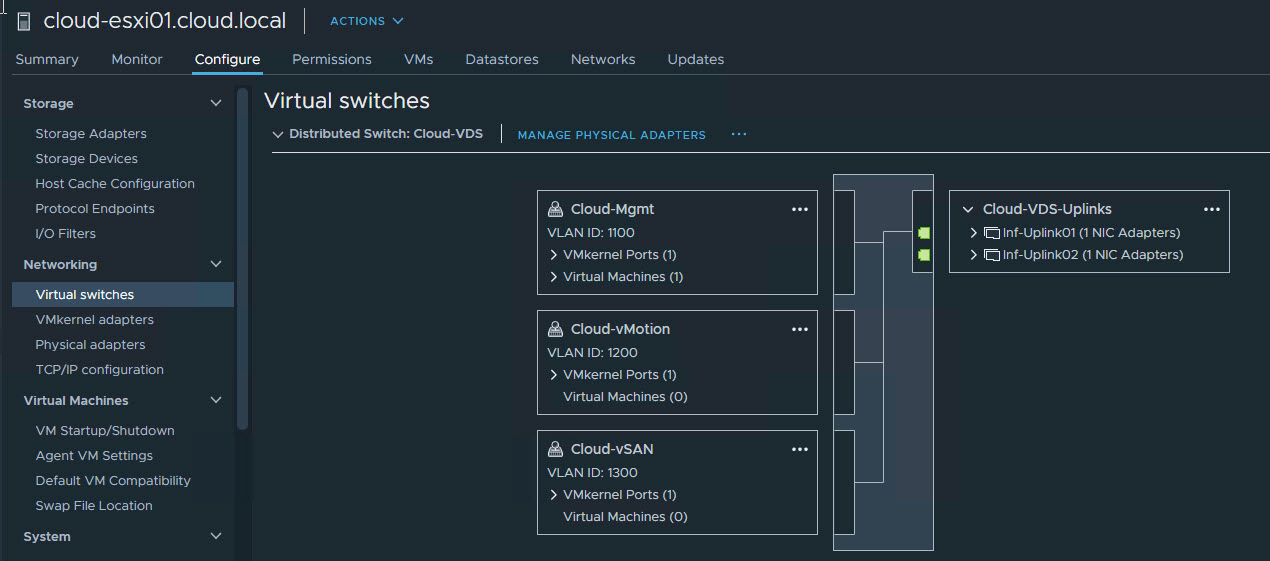
The networking architecture in my lab is a mix of VDS and N-VDS.
2 NICs from each host are participating in routing regular datacenter traffic (Mgmt, vSAN & vMotion).
The other 2 NICs are connected to N-VDS and carry overlay traffic.
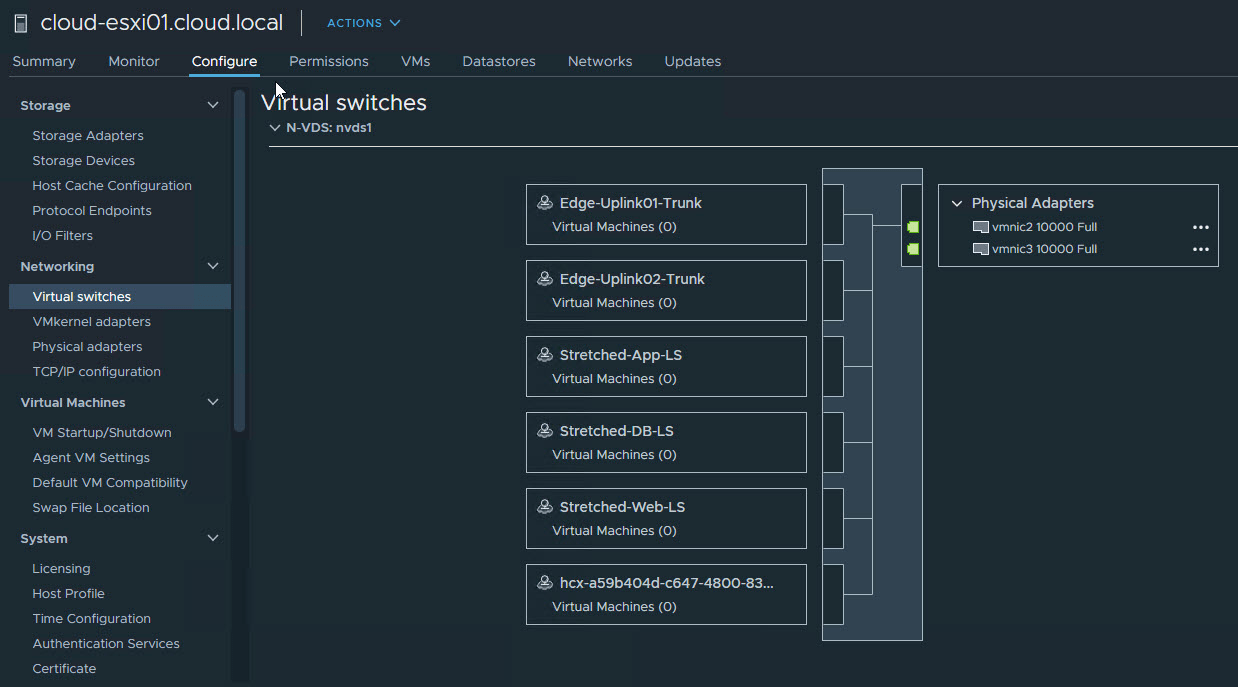
For edge networking, I am using multi-tep, single NVD-S architecture.

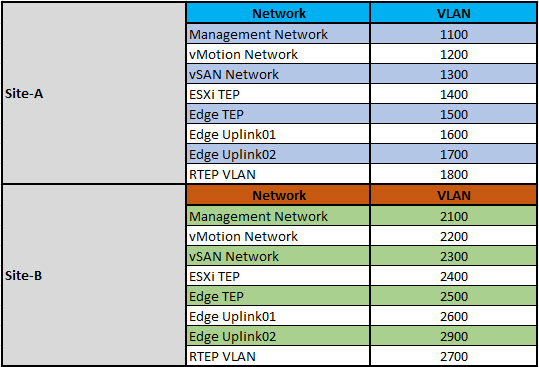
I am using the following VLANs in my lab:
Current State of NSX Configuration
Note: Both Site-A & Site-B NSX have the same configuration, and thus I am only including the config from one site of my lab.
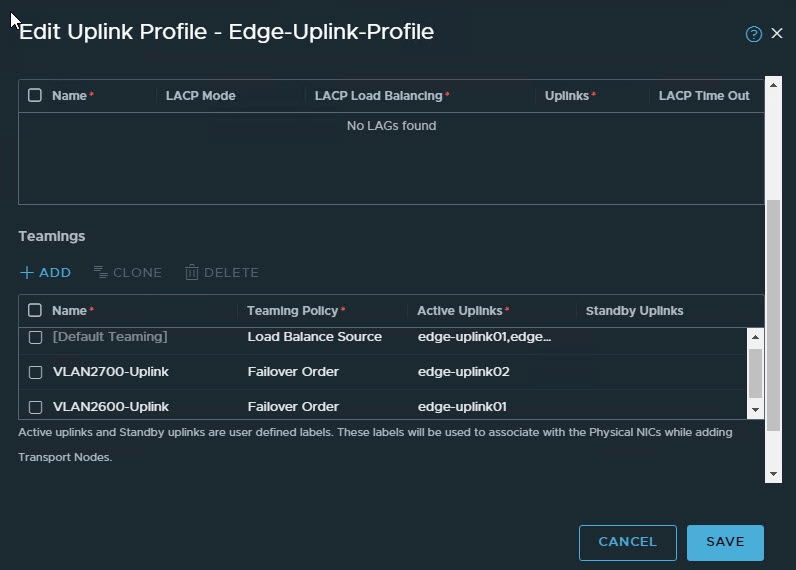
1: Uplink profiles
Both Edge and Host uplink profiles have a default teaming as well as named teaming policies defined (for deterministic peering)

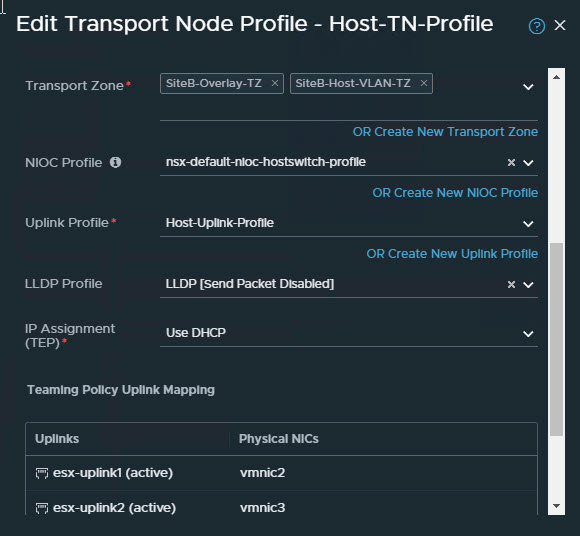
2: Transport Node Profile
The host transport node profile has both overlay and VLAN transport zones.
3: Transport Zones
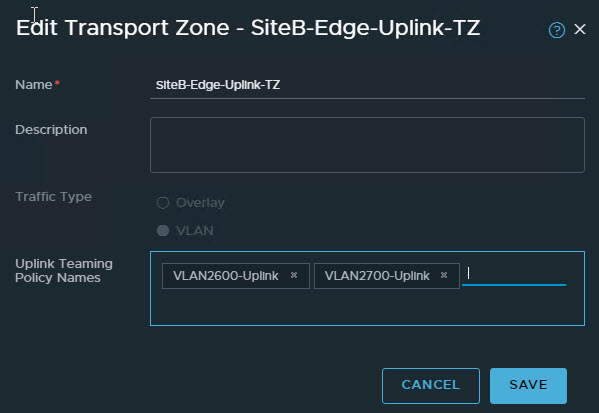
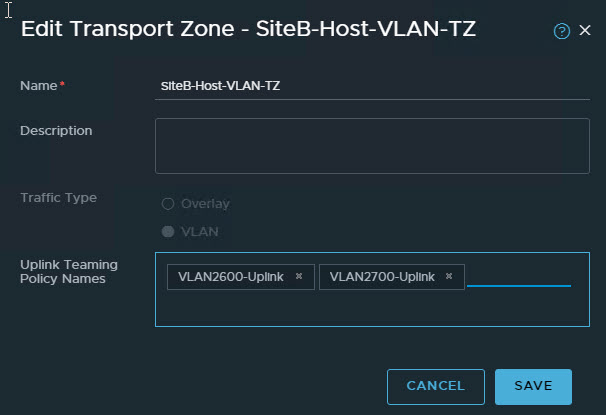
I have 3 transport zones in my lab. One for Edge uplink, one for ESXi host VLAN-backed networks, and one overlay tz where both ESXi host and Edge nodes are added.

Named teaming policies are associated with Host-VLAN-TZ and Edge-Uplink-TZ.
4: Edge Nodes
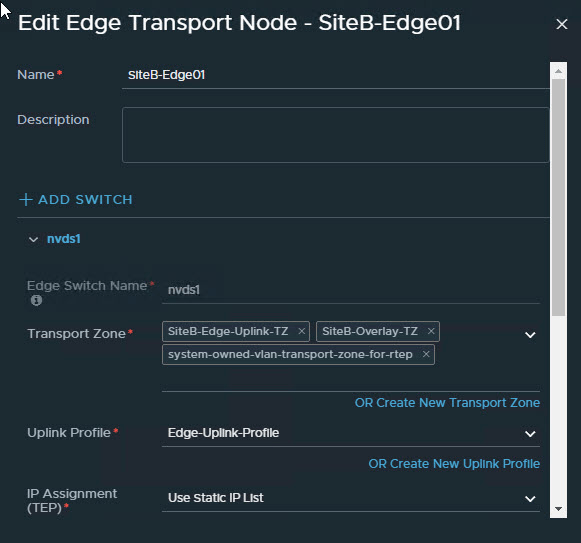
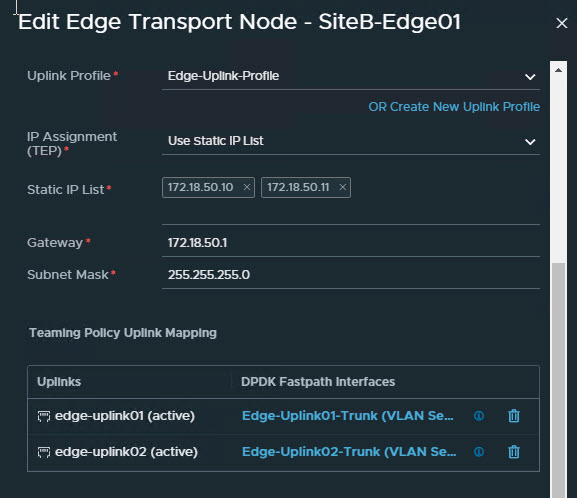
Each node is part of the Overlay-TZ and Edge-Uplink Transport Zones and uses the Edge Uplink Profile and static IP list for TEP networking.
The Edge interfaces are mapped to the Trunk port groups on the N-VDS.
Future State of NSX Configuration
In the next post of this series, I will demonstrate how to configure the NSX-T federation. The future state of NSX-T will look as shown in the diagram below.

And that’s it for this post.
I hope you enjoyed reading this post. Feel free to share this on social media if it is worth sharing.