Load Balancing With Avi Load Balancer in VMC on AWS-Part 1

Load balancers are an integral part of any data center, and most of the enterprise applications are clustered for high availability and load distribution. The choice of the load balancer becomes very critical when applications are distributed across data centers/clouds. 

This blog series is focused on demonstrating how we can leverage Avi Load Balancer for local/global load-balancing applications in VMC on AWS. 

If you are new to Avi Load Balancer, then I encourage you to learn about this product first. Here is the link to the official documentation for the Avi Load Balancer

Also, I have written a few articles around this topic, and you can read them from the links below:

1: Avi Load Balancer Architecture

2: Avi Controller Deployment & Configuration

3: Load Balancing Sample Application

The first two parts of this blog series are focused on the deployment & configuration of Avi LB in a single SDDC for local load balancing.Read the rest

vSphere with Tanzu Leveraging NSX ALB-Part-1: Avi Controller Deployment & Configuration

With the release of vSphere 7.0 U2, VMware introduced support of Avi Load Balancer (NSX Advanced Load Balancer) for vSphere with Tanzu, and thus, fully supported load balancing is now enabled for Kubernetes. Before vSphere 7.0 U2, HA Proxy was the only supported load balancer when vSphere with Tanzu needed to be deployed on vSphere Distributed Switch (vDS) based networking. 

HA Proxy was not supported for production-ready workloads due to its own limitations. NSX ALB is a next-generation load balancing solution, and its integration with vSphere with Tanzu enables customers to run production workloads in the Kubernetes cluster.

When vSphere with Tanzu is enabled using NSX ALB, the Controller VM has access to the Supervisor Cluster, Tanzu Kubernetes Grid clusters, and the applications/services deployed in the TKG Cluster. 

The diagram below shows the high-level topology of NSX ALB & vSphere with Tanzu.

In this post, I will cover the steps of deploying & configuring NSX ALB for vSphere with Tanzu.Read the rest

Getting Started With NSX ALB: Part-4-Load Balancer in Action

In the last post of this series, I completed NSX-T integration with NSX ALB. Now it’s time to test the load balancer. 

If you have missed the earlier posts of this series, you can read them from the links below:

1: NSX ALB Introduction & Architecture

2: Avi Controller Deployment & Configuration

3: NSX ALB Integration With NSX-T

Let’s get started.

Before I dive into the lab, let me first explain the topology that I have implemented in my lab.

  • I have two of my web servers sitting on the Web-LS logical segment backed by subnet 192.40.40.0/24.
  • Logical segments ALB-Mgmt-LS and ALB-Data-LS are connected to the same Tier-1 gateway to which the Web-LS segment is connected and are backed by subnets 192.20.20.0/24 and 192.30.30.0/24.
  • Avi Service Engine VMs are connected to both Mgmt & Data LS
  • All 3 segments are created in the overlay transport zone. 
  • My Tier-0 gateway is BGP peering with a physical router, and my Win JB machine is able to ping the logical segments’ default gateway. 
Read the rest

Getting Started With NSX ALB: Part-3-NSX-T Integration

In the previous post of this series, I discussed Avi controller deployment and basic configuration. It’s time to integrate NSX-T with NSX ALB. High-level steps of NSX-T integration are summarized below:

  • Create a Content Library in vCenter
  • Deploy a Tier-1 gateway for Avi Management.
  • Create Logical Segments in NSX-T for Avi SE VMs.
  • Create credentials for NSX-T and vCenter in Avi.
  • Register NSX-T with Avi Controller.
  • Create an IPAM profile. 

Let’s get started.

Create a Content Library in vCenter

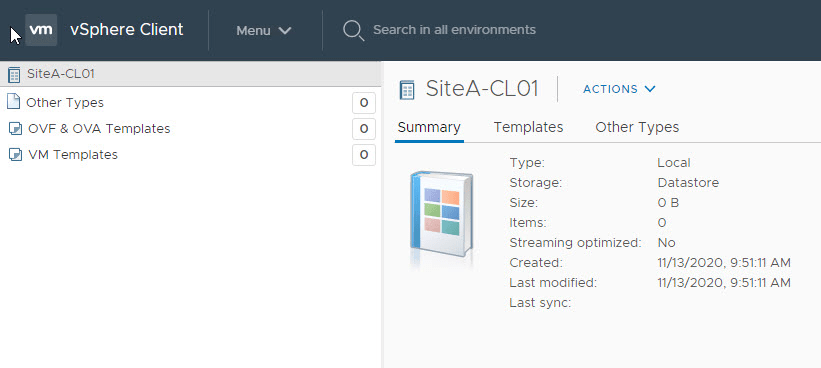
Deployment of Avi Service Engine VMs is done automatically by the Avi Controller when we create a Virtual Service. For this to work, a content library must be created in the vCenter server as the controller pushes the Avi SE OVA into the content library and then deploys the SE VMs. 

Deploy Tier-1 gateway for Avi Management

You can use the existing Tier-1 gateway or deploy a new one (dedicated) for Avi management.Read the rest

Getting Started With NSX ALB: Part-2- Avi Controller Deployment & Configuration

The first post of this series talked about NSX ALB and its architecture. Also, I discussed features that make NSX ALB unique. In this post, I will discuss deployment and basic configuration, and later, I will discuss ALB integration with NSX-T.

Hardware requirements for Avi Controllers and Service Engine VMs are documented here

Prerequisites for NSX ALB Deployment:

  • vSphere is deployed and configured.
  • NSX-T Manager is deployed and is integrated with vCenter. The Tier-0 gateway is deployed and is paired with the physical network using BGP.

NSX-ALB Controller OVA can be downloaded from https://customerportal.avinetworks.com

Ova deployment is straightforward, and I am not covering the deployment wizard. Make sure to leave the Sysadmin login authentication key field blank when deploying the controller OVA. 

Once the Controller VM boots up, connect to the web interface of the controller by typing https://<Avi-Controller-ip>/

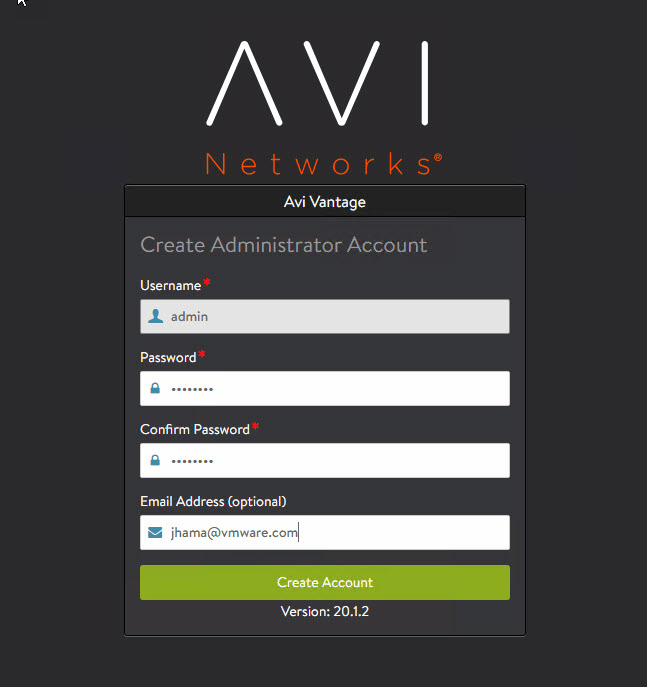
Configure the controller administrator account by setting up a password and email ID (for password reset in case of account lockout)

Configure DNS and NTP server information.Read the rest

Getting Started With NSX ALB: Part-1- Introduction & Architecture

NSX Advanced Load Balancer (formerly Avi Vantage) is a multi-cloud software-defined load balancer that provides scalable application delivery across any infrastructure. NSX ALB is 100% software-defined and provides:

  • Multi-cloud: Consistent experience across on-premises and cloud environments through central management and orchestration.
  • Intelligence: Built-in analytics drive actionable insights that make autoscaling seamless, automation intelligent, and decision making easy.
  • Automation: 100% RESTful APIs enable self-service provisioning and integration into the CI/CD pipeline for application delivery.

Note: The NSX ALB solution came through VMware’s acquisition of Avi Networks in 2019.

Some of the key features of NSX ALB are:

  • Autoscaling of Load Balancers and Applications.
  • Web Application Analytics & Performance Insights.
  • Automation for IT, self-service for developers.

To know more about these features, please visit Avi Networks website. 

NSX ALB Architecture

NSX-ALB consists of two main components:

  • Avi Controller.
  • Service Engines (SE).

Controllers are deployed by the platform administrator, and service engines are automatically deployed by the controller when we create virtual services.Read the rest