
By default, VCF 9 deploys the v22.x of Avi, which is too old. To use newer versions of Avi in the VCF 9.x setup, Broadcom provides a shell script. This script uploads the newer Avi OVA and updates the SDDC Manager manifest file so that the new Avi can be selected in the SDDC Manager UI.
The shell script and helper files can be downloaded from the Avi GitHub repo
This shell script performs the following tasks:
- Uploading the Avi bundle to the SDDC manager.
- Uploading the SDDC manager root certificate to the NSX manager as a trusted CA.
- Registering the Avi enforcement point in NSX Manager.
Analyze the Shell Script
The shell script (vcf_tools.sh) contains 2 helper files:
1: pvc.json: This file contains the information of the Avi install bundle name and the build number. If the build number of the Avi installer bundle that you downloaded from Broadcom’s portal is not in the JSON file, update it.
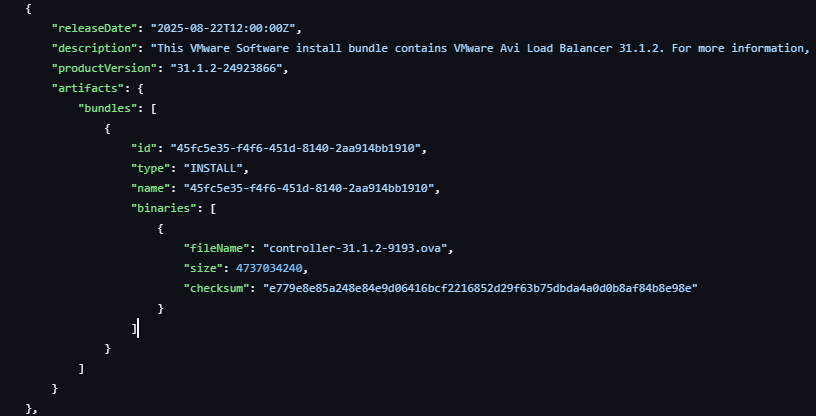
The filename and product version must match, as seen in the Broadcom portal.
The table below lists the versions of Avi 30.x/31.x
|
Avi Version |
VCF version |
Avi OVA filename |
Avi product version |
|---|---|---|---|
|
31.1.1 |
9.0.0 |
controller-31.1.1-9122.ova |
31.1.1-24544104 |
|
31.1.2 |
9.0.1 |
controller-31.1.2-9193.ova |
31.1.2-24923866 |
|
31.2.1 |
9.0.2 |
controller-31.2.1-9148.ova |
31.2.1-25015167 |
2: pvc.sig: This file contains the SHA256 checksum of the pvc.json file and must not be modified.
Execution Steps
Uploading Avi OVA bundle to SDDC Manager
Step 1: Download the Avi v30.x/31.x from Broadcom’s support portal.
Step 2: Upload the Avi installer bundle and the shell script + helper files to a box from where the script can be executed.
Step 3: Make the script executable, then invoke it.

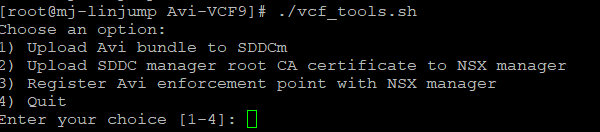
Step 4: Select Option 1 and press Enter. The script will upload the AVI installer bundle.
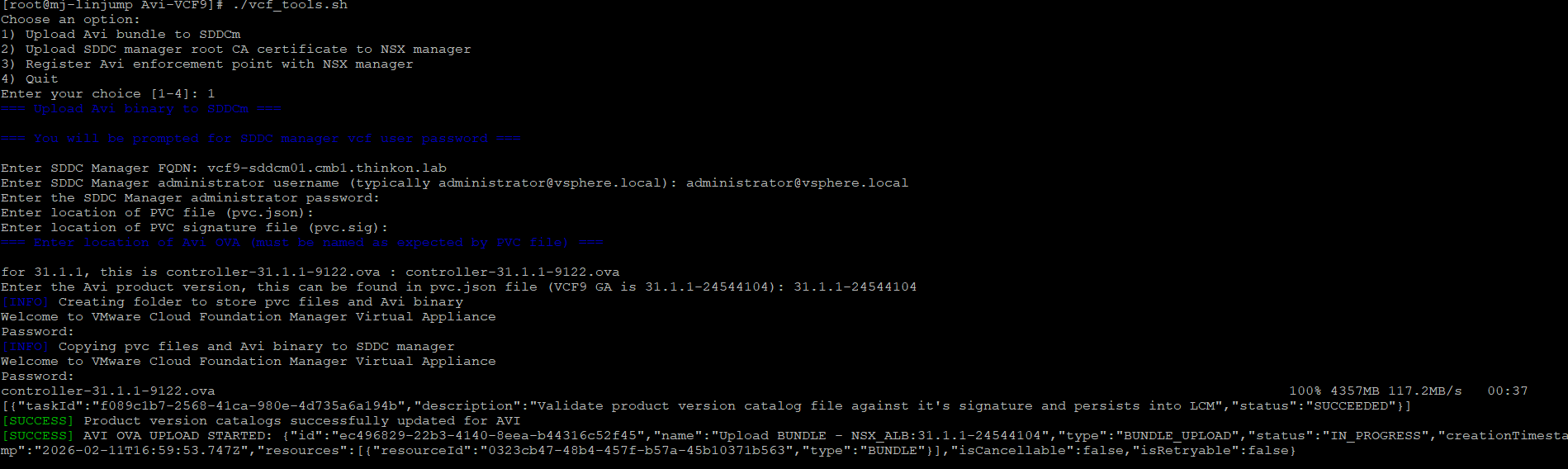
In the SDDC Manager UI, you will see the upload task shortly.

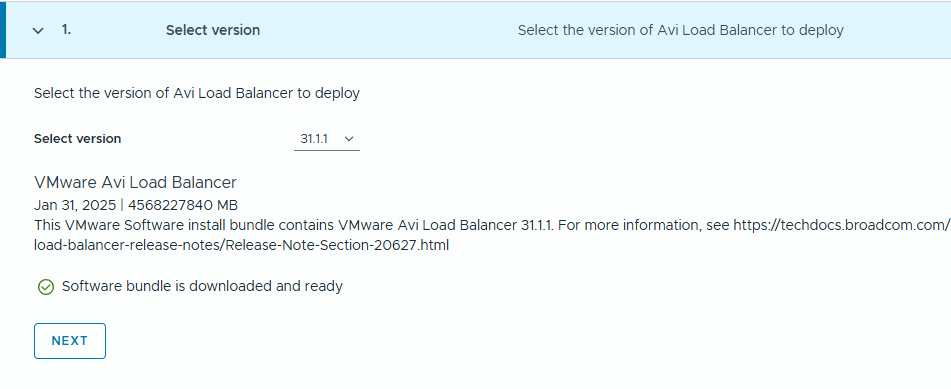
Step 5: The new version of Avi is now available in the SDDC manager UI.
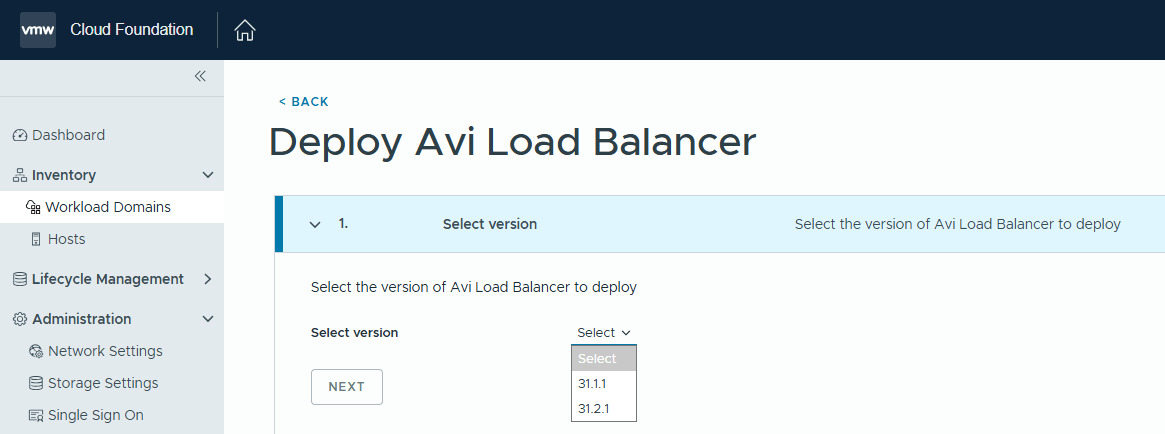
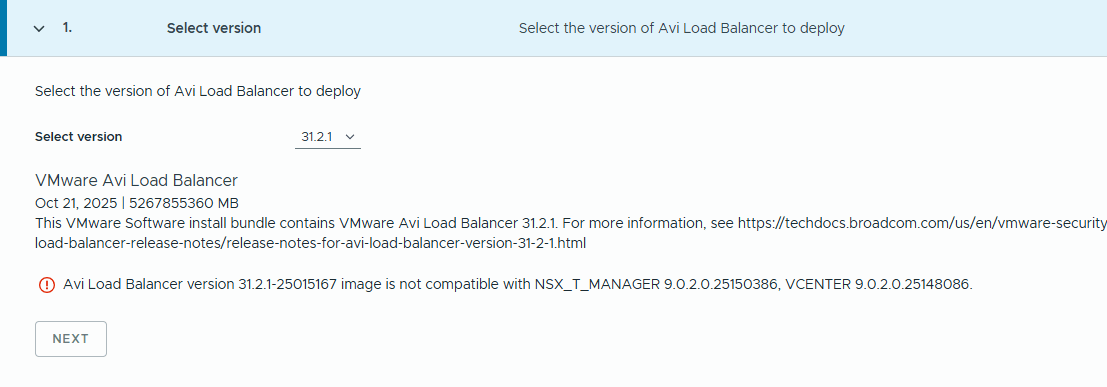
On selecting the version, SDDC Manager validates whether the version is compatible with VCF 9.x or not.
If you select any unsupported version, the SDDC Manager throws a compatibility check error and won’t let you proceed with the deployment.
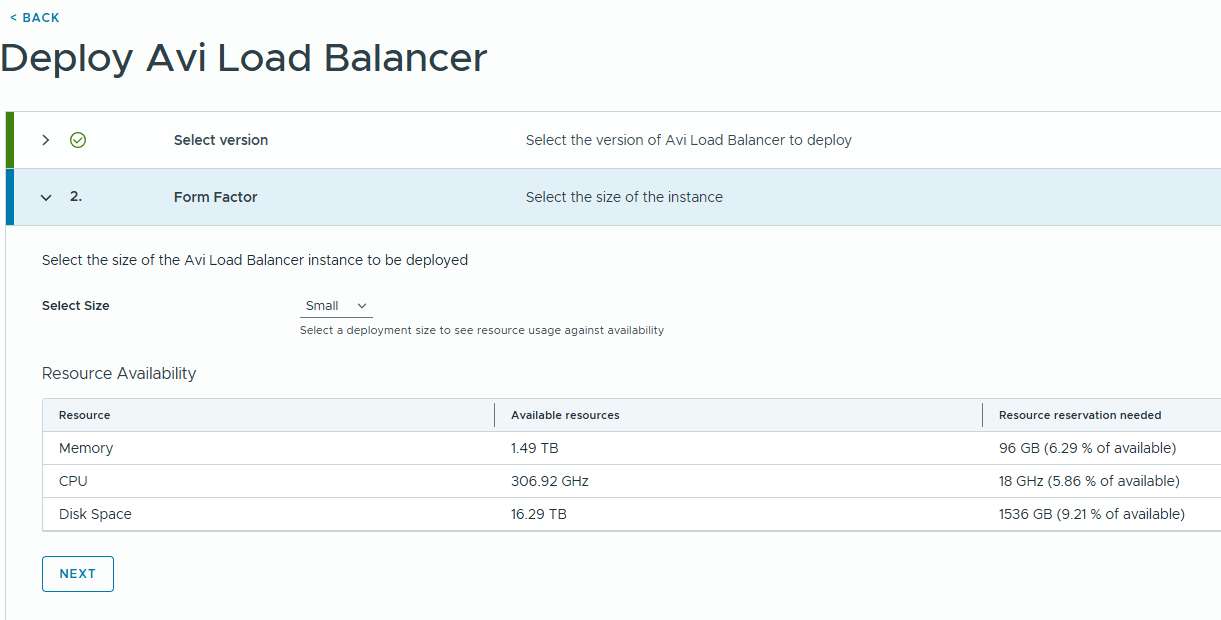
Step 6: Select the form factor for the AVi controller nodes and click Next.
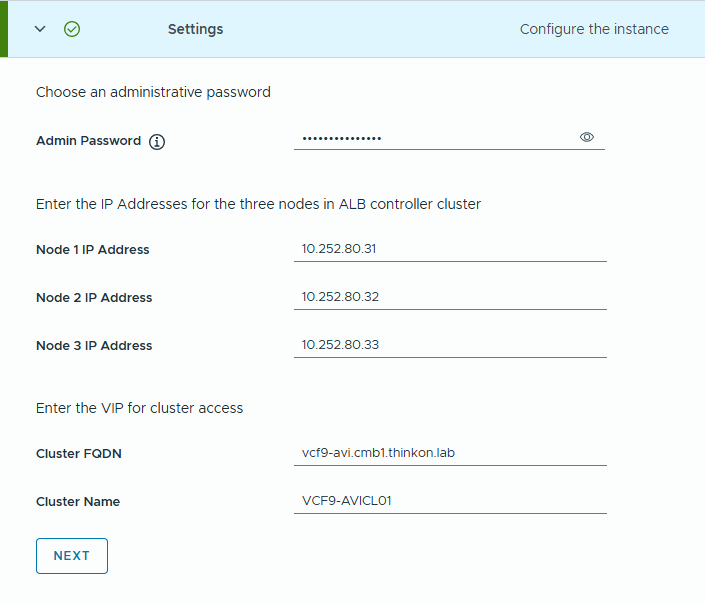
Step 7: Enter the Avi controller admin user password and the node IP addresses. Also, enter the cluster name and the VIP FQDN.
Step 8: Click Start deployment to initiate the Avi controller deployment.
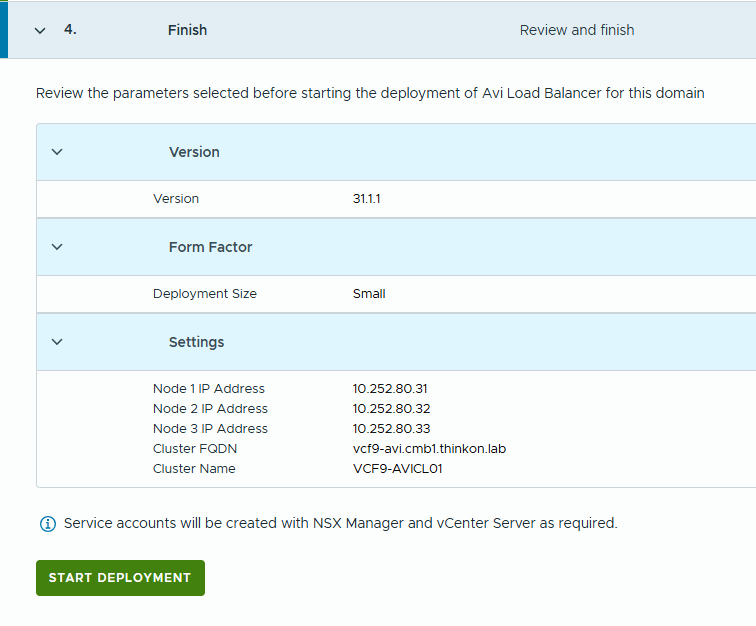
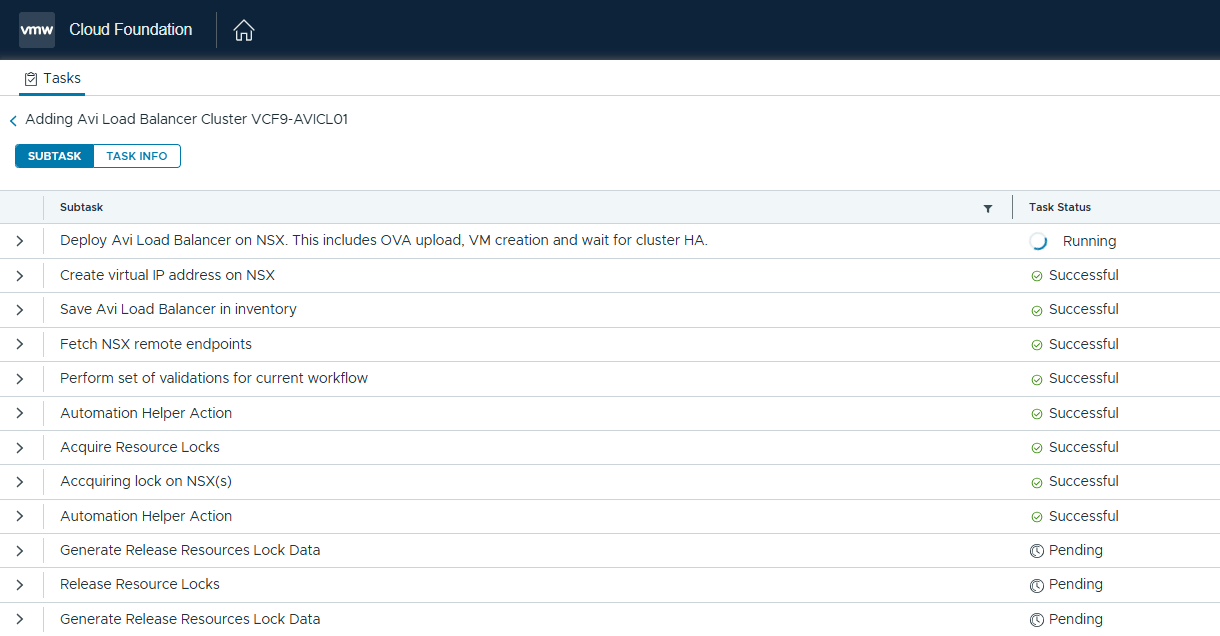
Step 9: Monitor the deployment from the tasks pane in the SDDC Manager.
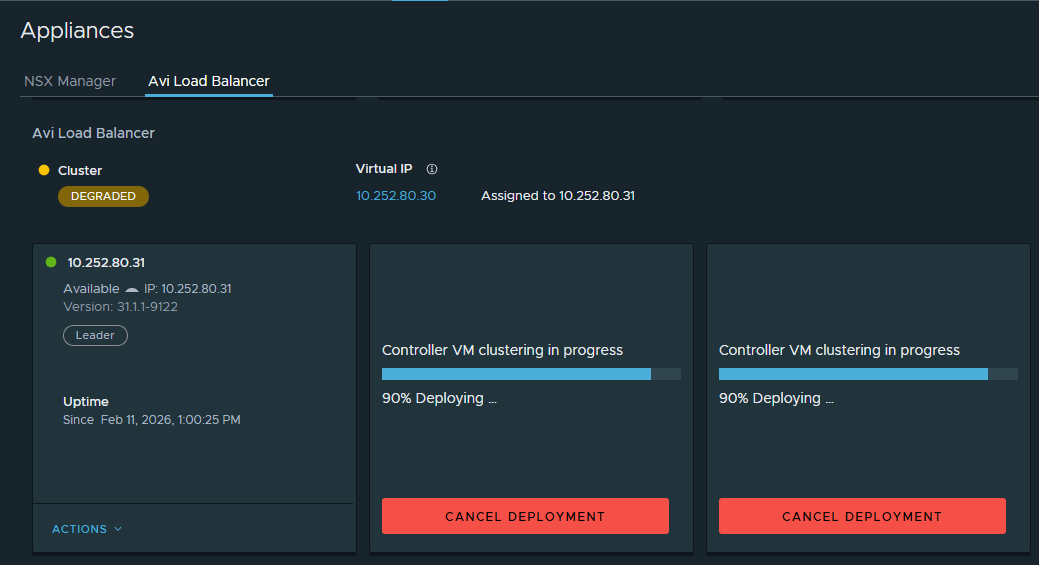
Optionally, you can login to the NSX manager UI, navigate to the appliance view, and click the Avi Load Balancer tab.
Configure Avi Controller
In the VCF 9.0.x version, SDDC Manager only deploys Avi but does not configure it.
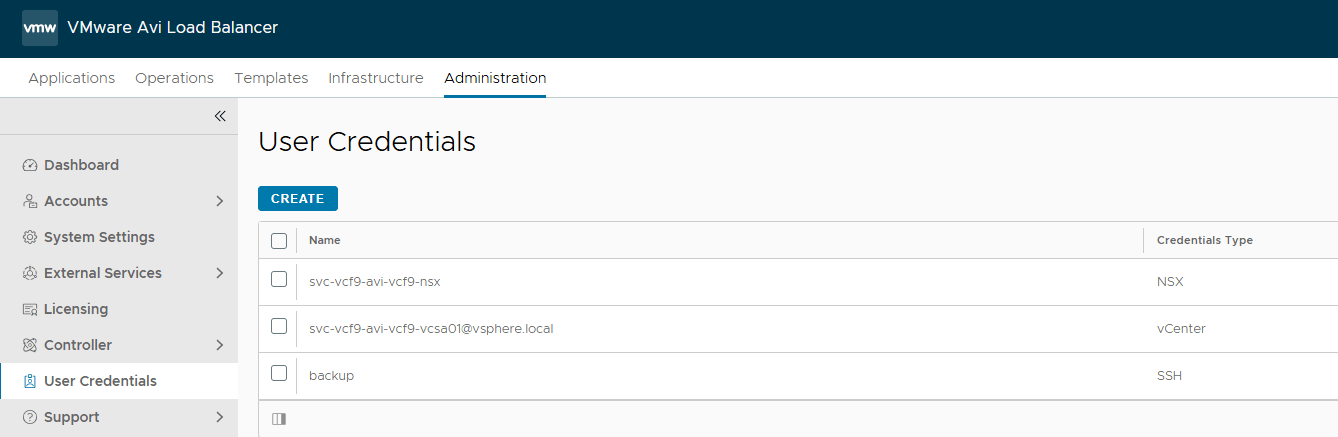
The configuration settings that the SDDC Manager performs in Avi are:
1: Creating the service accounts for integration with vCenter and NSX Manager.
2: Avi controller clustering
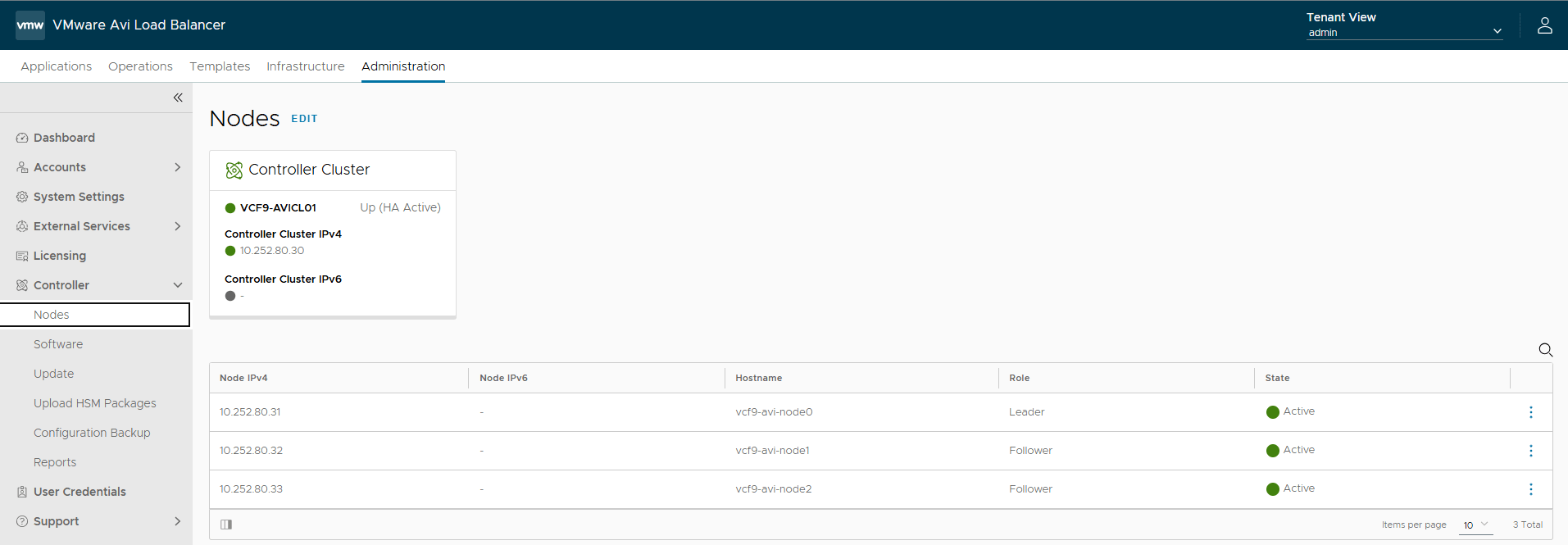
You must perform the remaining configuration manually. This includes:
- Backup passphrase and DNS settings.
- SMTP settings
- Tenancy settings.
- License settings.
- IPAM configuration.
- Cloud connector configuration.
- SSL certificate replacement.
The steps of creating an NSX Cloud in Avi have not changed and are documented here
Establish Trust beween Avi and the SDDC Manager
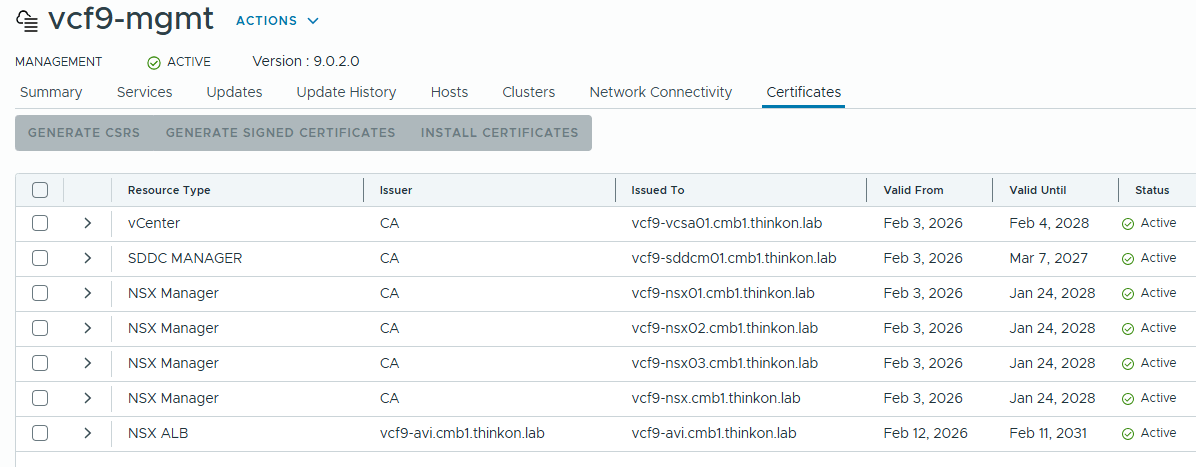
To manage the Avi controller lifecycle from the SDDC Manager, you need to establish trust between the two.
After completing the Avi configuration, login to the SDDC Manager UI and click the workload domain where Avi is installed and navigate to the Certificates tab.
Click on the review option for the Avi certificate.

Click the Trust Certificate button.
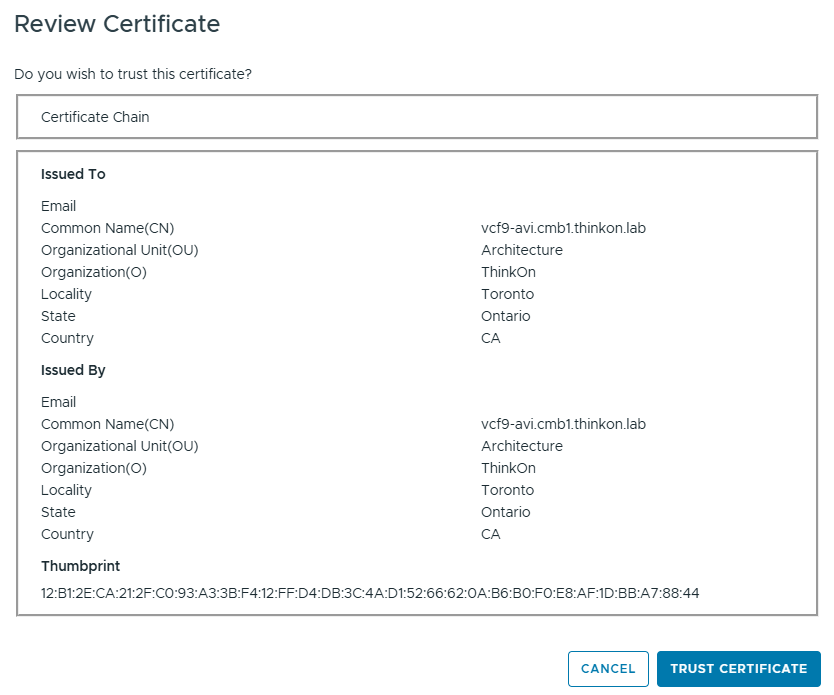
The connection status for Avi is now Active in the SDDC Manager. The Avi controller lifecycle can be managed from the SDDC Manager directly.
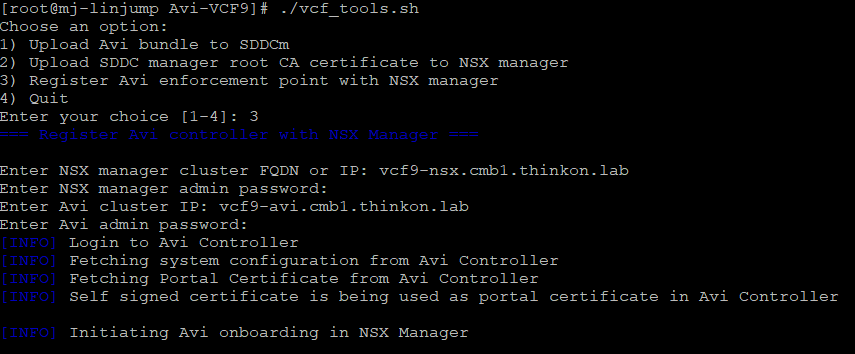
Switch back to the console where the script is kept. Invoke the script again and select option 3.
This step will register Avi in the NSX Manager.
Although SDDC Manager can deploy Avi and manage its lifecycle, the integration remains thin, as much configuration is still done manually. For example, Avi is not yet integrated with VCF Automation. So, you can’t use LBaaS in VCF-A. Also, since VCF VPC is gaining momentum, it’s good to have Avi integration with VPCs in a self-service manner. I heard that much of this is coming in VCF 9.1, and I am eagerly waiting for the release.
That’s it for this post. I hope you enjoyed reading it. Feel free to share it on social media if it’s worth sharing.