
Welcome to the 5th part of the VMware vDefend SSP series. In the previous post, I discussed SSP integration with core infrastructure. This post focuses on demonstrating the Rule Analysis feature of SSP.
If you are not following along with this series, I encourage you to read the earlier parts of this series from the links below:
1: Introduction to VMware vDefend Security Services Platform
2: Deploy & Configure SSP Instance
3: Onboard NSX Manager & Activate Platform Features
4: SSP Integration with Core Infrastructure Services
What is SSP Rule Analysis?
The rule analysis feature automatically analyzes DFW rules to identify inefficiencies and security misconfigurations. It helps optimize policies by flagging issues such as duplicate, redundant, or overly permissive rules, contributing to a more robust and efficient security posture.
The main benefits of the rule analysis feature are outlined below:
- Improves Security Posture: Identifies potential security misconfigurations and improves the overall security posture of the DFW.
- Optimizes Policies: Finds and flags rule inefficiencies like duplicate, redundant, and shadow rules to help simplify complex rule sets.
- Reduces Rule Bloat: Eliminates unnecessary or conflicting rules, making firewall policies easier to manage and understand.
- Provides Actionable Insights: Offers detailed reports and actionable recommendations for improving policy efficiency.
- Reduces Manual Effort: Automates a laborious process that would otherwise require manual scripting or the use of third-party tools.
How it Works
The feature must be activated from the Security Services Platform (SSP) user interface. After activation, you can manually run an analysis or schedule it to run automatically. The system analyzes the currently published DFW rules, with specific exclusions including rules involving L2, bare metal servers, identity firewalls, and IP reputation, as well as MPS and IDS rules.
Over time, security policies/rules have grown significantly as more and more apps are micro-segmented, making it extremely difficult to manage and maintain them. It is fair to say that security policies become suboptimal over time. That’s where the rule analysis feature comes in. This powerful feature analyzes DFW rules, ensuring security policies are efficient.
vDefend’s Firewall Rule Analysis finds and flags seven major rule optimization opportunities: duplicate rules, redundant rules, rule consolidation opportunities, rule inconsistencies, shadow rules, excessively permissive rules, and ineffective rules. This calibrated analysis helps eliminate rule bloating and fix potential security misconfigurations.
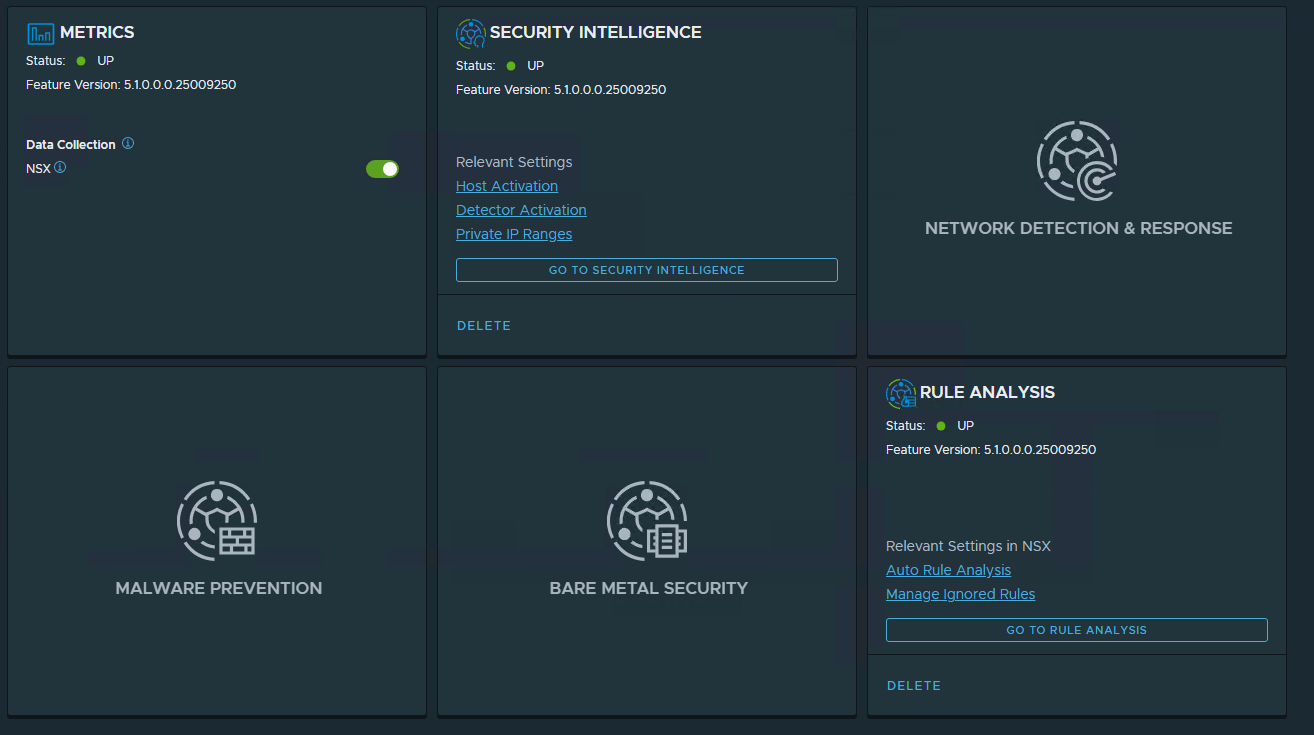
To use the Rule Analysis, navigate to the Platform & Features tab in the SSP web interface and click Go to Rule Analysis.
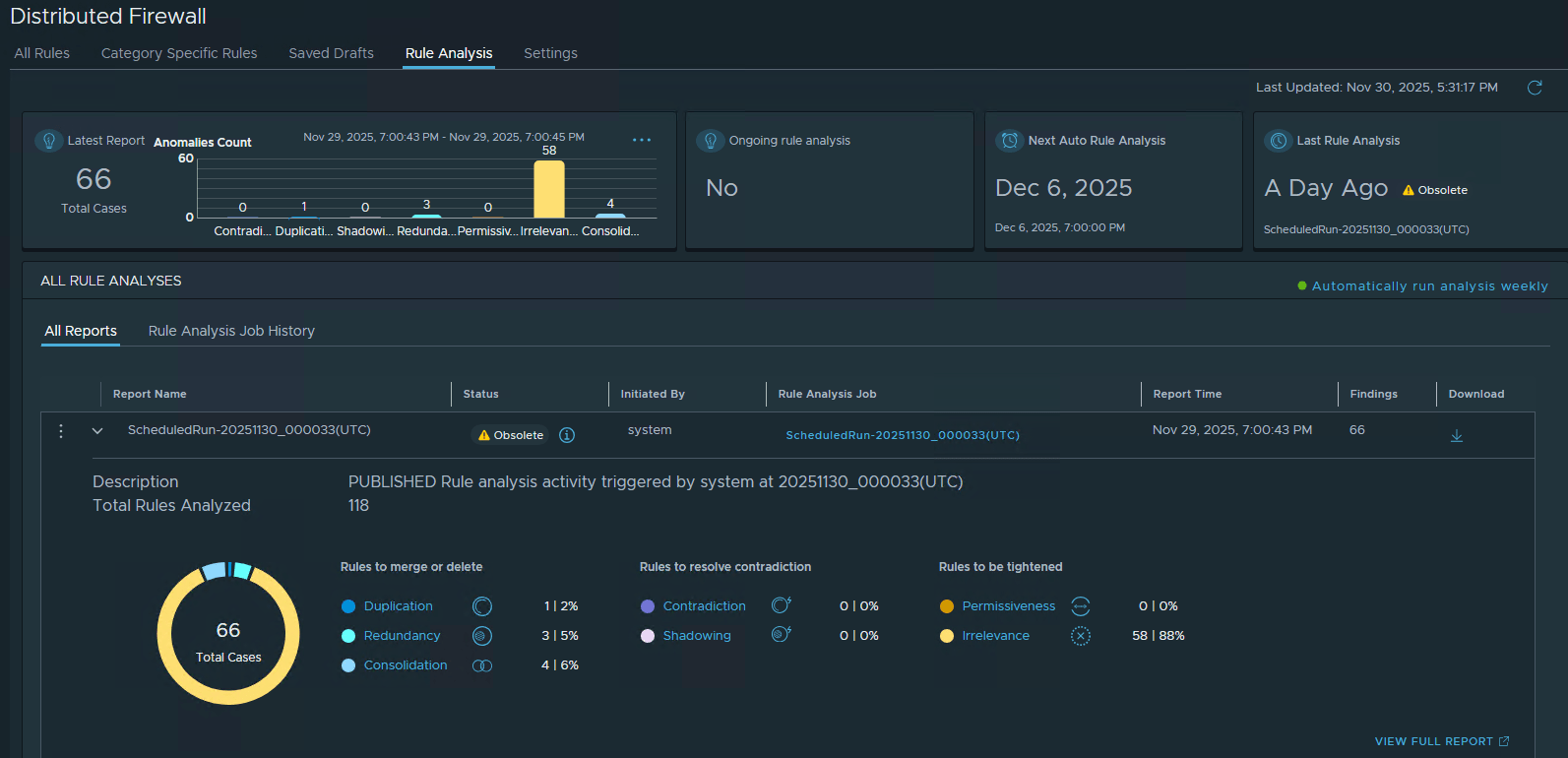
SSP opens the NSX manager UI, and after login, you land on the Rule Analysis page in the DFW settings.
When you enable Rule Analysis in SSP, a report is automatically generated. The result of the rule analysis is displayed in the dashboard and also provides options to download the report. The report becomes obsolete if any changes are made to the DFW configuration or to the inventory after the analysis is completed.
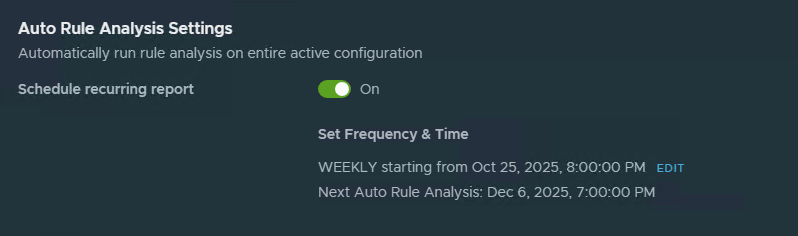
You can configure Rule Analysis to run in auto mode by clicking “Automatically run analysis weekly” and setting the schedule by editing it.
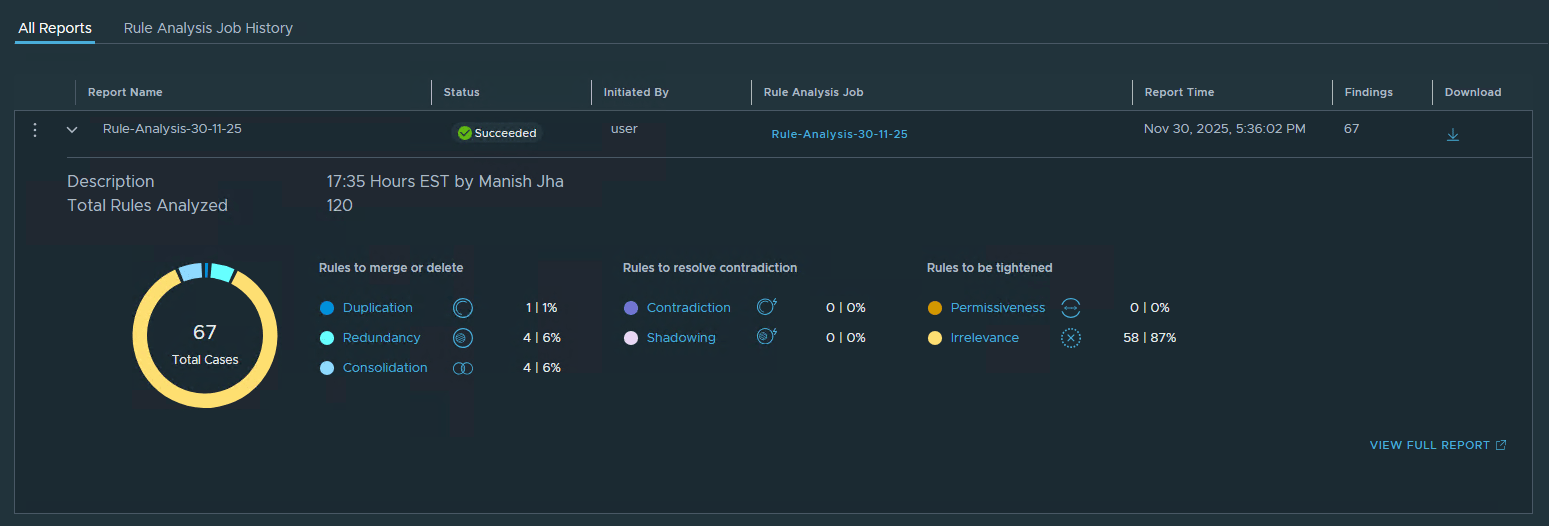
To run a new analysis, navigate to the “Rule Analysis Job History” tab and click Start Analysis.
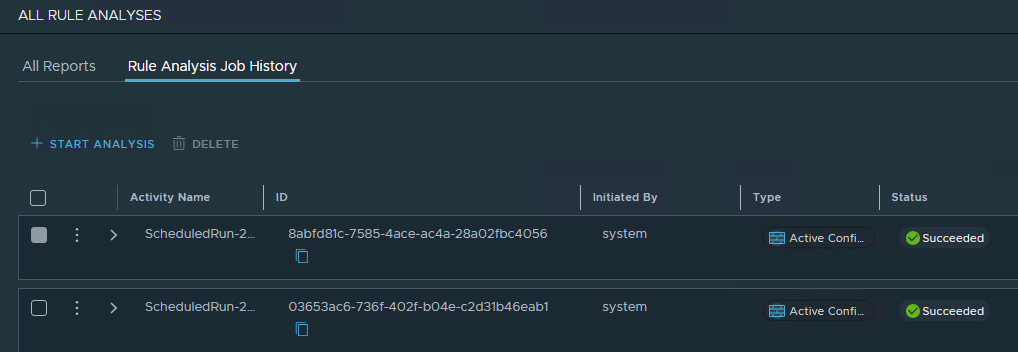
Enter the job name for the analysis and optional description. Click Start Analysis.

Wait for the analysis to complete. The report then displays the anomalies detected in the DFW.
Click on any of the identified anomalies to see more details.
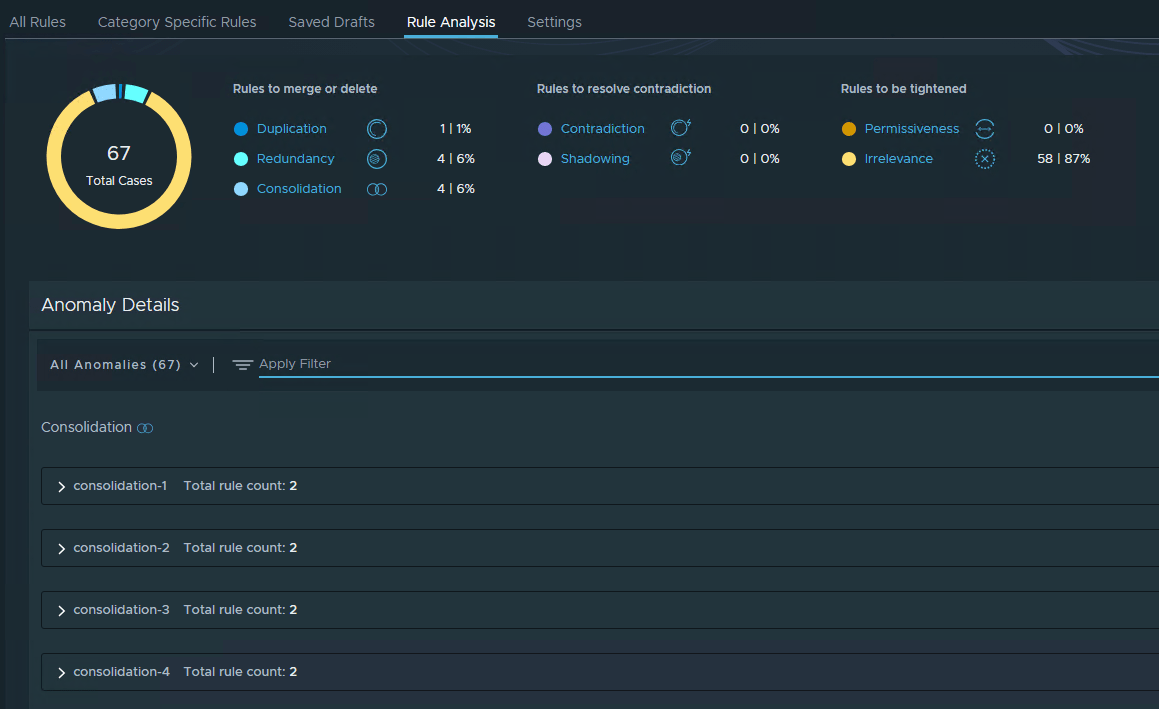
1: Rule Consolidation
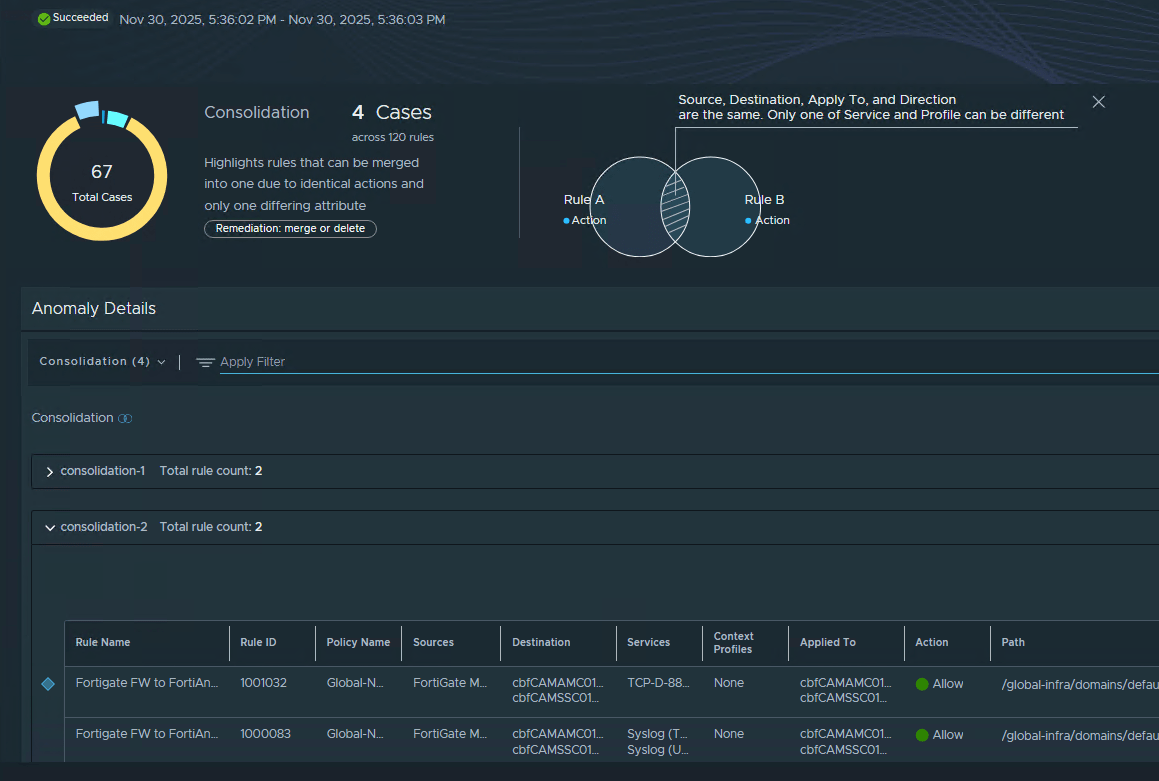
Two rules can be combined if they share the same source, destination, applied-to fields, and action, but differ only in services or context profiles, provided no intervening rules would be affected by the consolidation.
In the example below, the FortiGate manager has 2 rules configured to communicate with the FortiAnalyzer, but on different ports. Since the source and destination are the same, the two rules can be clearly combined.
2: Redundant Rules
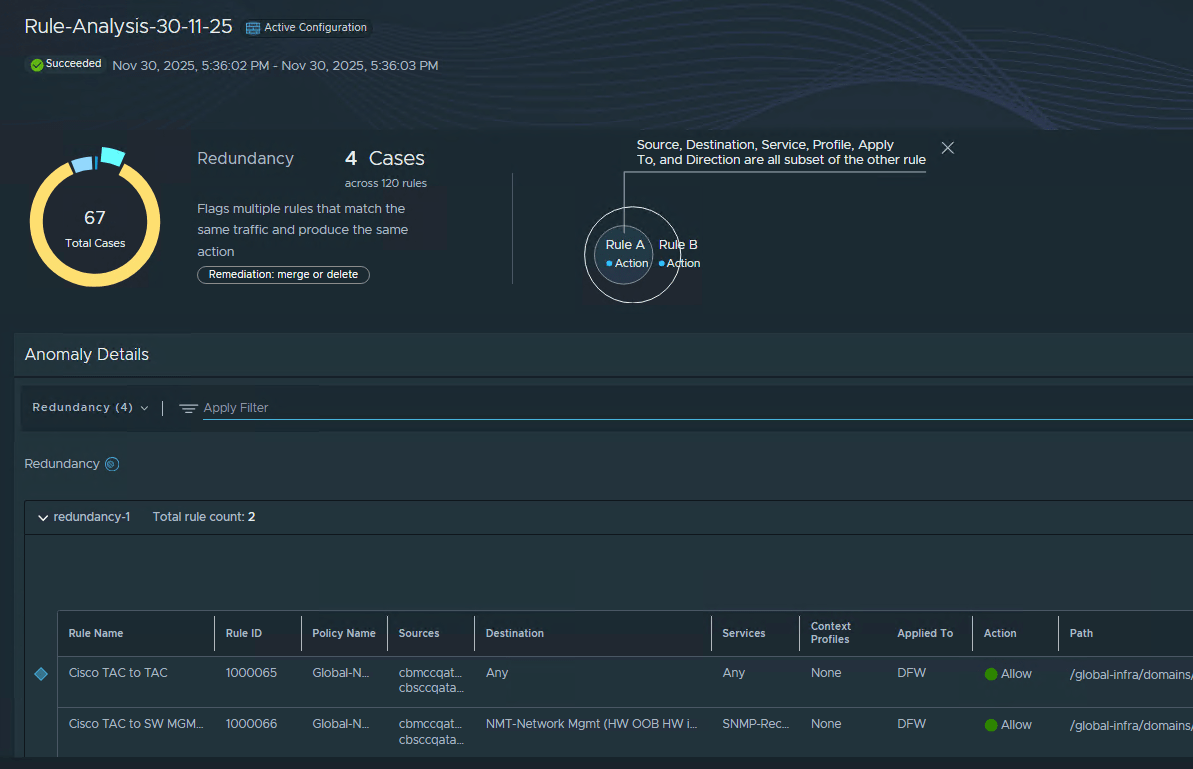
When a higher precedence rule matches a superset of the traffic matched by a lower precedence rule, the lower rule will never be triggered. If both rules have the same action, the lower-precedence rule is redundant.
In the example below, a rule allows Cisco TAC servers (source) to communicate with network monitoring tools (destination). However, there is another rule where the destination is set to ANY. This means that the first rule supersedes the second rule, and traffic will never reach the second rule.
As a best practice, and considering microsegmentation, the destination in the second rule must be modified to include all legitimate endpoints, and the first rule must be deleted.
3: Duplicate Rules
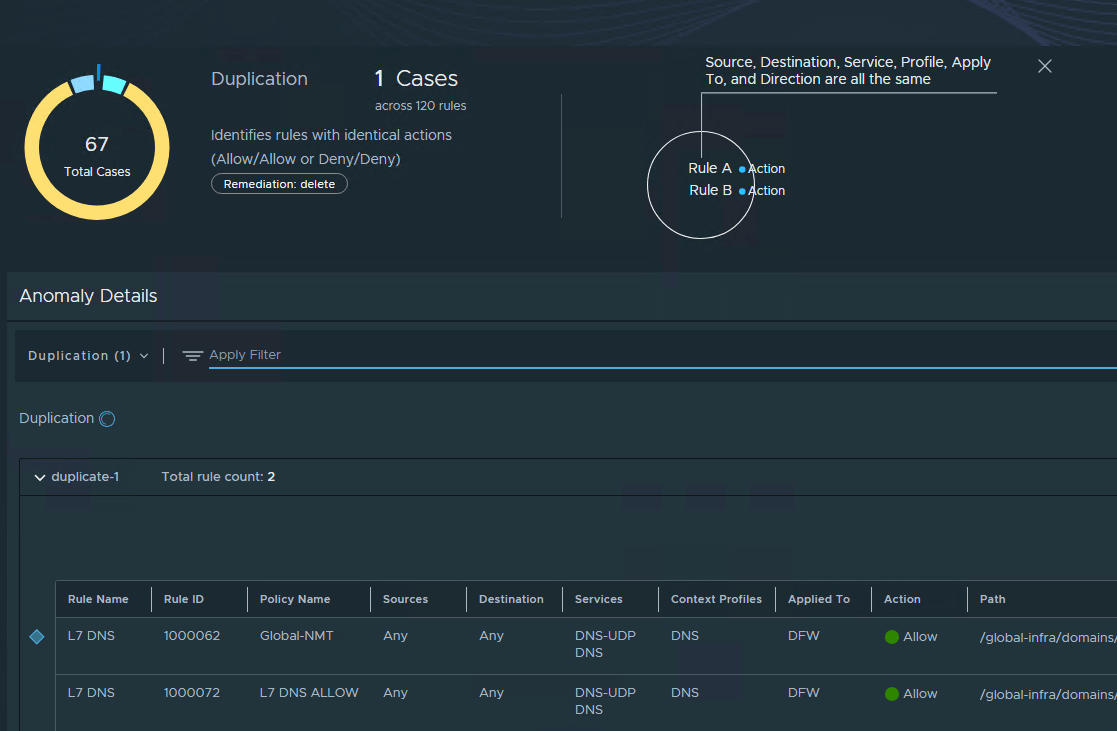
Two rules with identical configurations and the same action are duplicates.
In the example below, both rules have the same source, destination, and allowed services. Clearly, these are duplicate rules, and either of them must be deleted.
4: Irrelevant Rules
This anomaly applies to individual rules rather than pairs. A rule is irrelevant when its source, destination, or applied-to fields reference an empty group, or when the applied-to field references an IP-set-based group.
To remediate the irrelevant rules, you must analyze every rule and remove any empty security groups (either source or destination) from the rule. Also, DFW doesn’t support IP-based security groups in the Applied-To field. This is a serious misconfiguration and must be fixed as soon as it is identified.

There are 3 more types of anomalies. You can find more information about it in the SSP product documentation. Since those don’t apply to my environment, I have not included any screenshot examples.
And that’s it for this post.
In the next post of this series, I will discuss the SSP Rule Analysis feature. Stay tuned!!!
I hope you enjoyed reading this post. Feel free to share this post on social media if it’s worth sharing.