
The first post of this series talked about NSX ALB and its architecture. Also, I discussed features that make NSX ALB unique. In this post, I will discuss deployment and basic configuration, and later, I will discuss ALB integration with NSX-T.
Hardware requirements for Avi Controllers and Service Engine VMs are documented here
Prerequisites for NSX ALB Deployment:
- vSphere is deployed and configured.
- NSX-T Manager is deployed and is integrated with vCenter. The Tier-0 gateway is deployed and is paired with the physical network using BGP.
NSX-ALB Controller OVA can be downloaded from https://customerportal.avinetworks.com
Ova deployment is straightforward, and I am not covering the deployment wizard. Make sure to leave the Sysadmin login authentication key field blank when deploying the controller OVA.

Once the Controller VM boots up, connect to the web interface of the controller by typing https://<Avi-Controller-ip>/
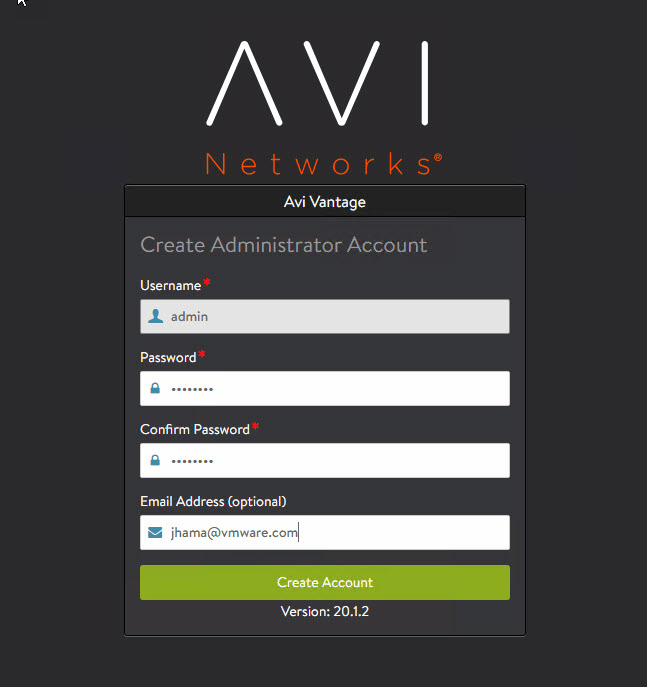
Configure the controller administrator account by setting up a password and email ID (for password reset in case of account lockout)
Configure DNS and NTP server information.


Configure SMTP settings.

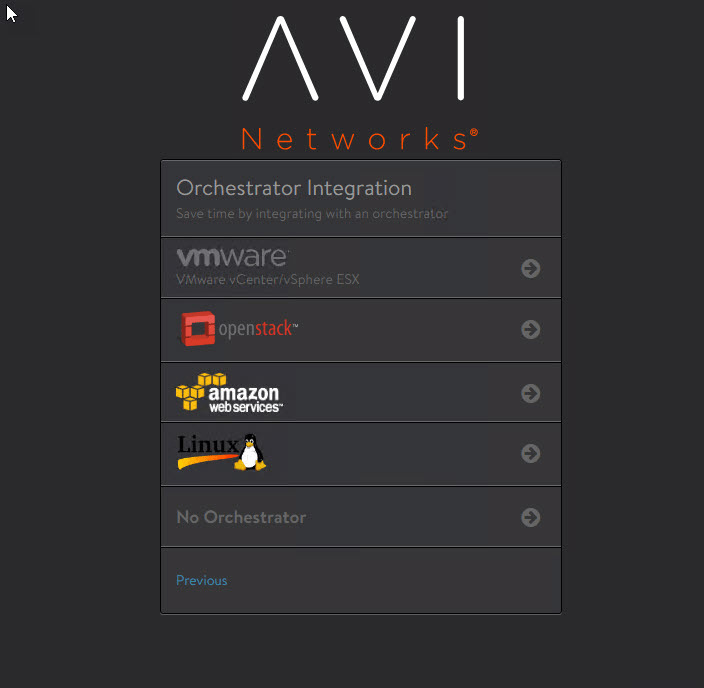
Select the type of orchestrator with which you want to integrate the Avi controller. In my case, it’s VMware.
Configure the vCenter IP address and credentials.

For the SDN Configuration, please choose None. NSX-T integration will be done later.
- Select vSphere Data Center from the Data Center dropdown.
- Select static for network IP address management.

Select the port group corresponding to the management network and provide the associated IP subnet information.

Select No for multiple tenants.

Once the initial configuration is completed, you will land directly on the screen shown below.

Assign License
To assign a license to the Avi controller, navigate to Administration > Settings > Licensing and apply the license key or license file by clicking on “Upload from Computer.”

And that concludes this post. In the next post of this series, I will demonstrate NSX ALB integration with NSX-T.
I hope you enjoyed reading this post. Feel free to share this on social media if it is worth sharing.